You know that feeling? It’s 2 AM, everyone’s asleep, you fire up your favorite game and… VRRROOOOM. Your PC takes off like a jet engine. I lived with this for months before I finally decided to put together a silent gaming PC build.
After testing a bunch of different setups and spending more money than I’d like to admit (oops), I figured out what actually works versus what’s just marketing BS. Let me save you from making my mistakes.
Quick heads up: The noise measurements in this guide are ballpark figures, taken with a smartphone dB meter app at 50 cm in my bedroom. Your results will vary based on your exact components, where you put your PC, and your room setup. But it gives you a solid reference point.
Understanding what ‘silent’ really means
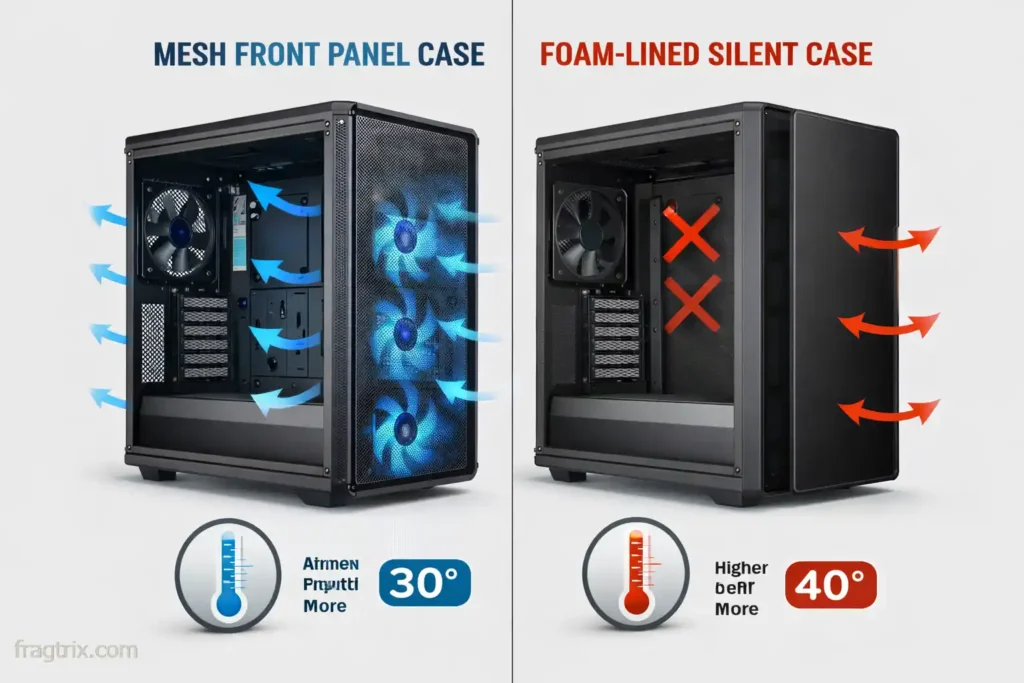
Most guides I’ve read get this totally wrong. Their solution? Slap sound-dampening foam everywhere. What actually happens? You choke the airflow, components run hotter, and fans have to spin faster to compensate. So yeah, it ends up being even louder.
The real formula? Good airflow + efficient components + smart fan curves = actual silence.
Let’s be realistic about noise levels for your silent gaming PC build
Here’s what you can actually aim for:
• Idle/light browsing: 20-25 dB (basically silent—you have to really listen for it)
• Gaming: 30-35 dB (a soft, low-frequency hum)
• Heavy load: 35-40 dB max
If someone promises 15 dB while gaming, they’re straight-up lying. And here’s something important: sound quality matters just as much as volume. A smooth whoosh at 35 dB is way more tolerable than a high-pitched whine at 30 dB.
CPU cooling: Air vs liquid
The Noctua NH-D15 G2 situation
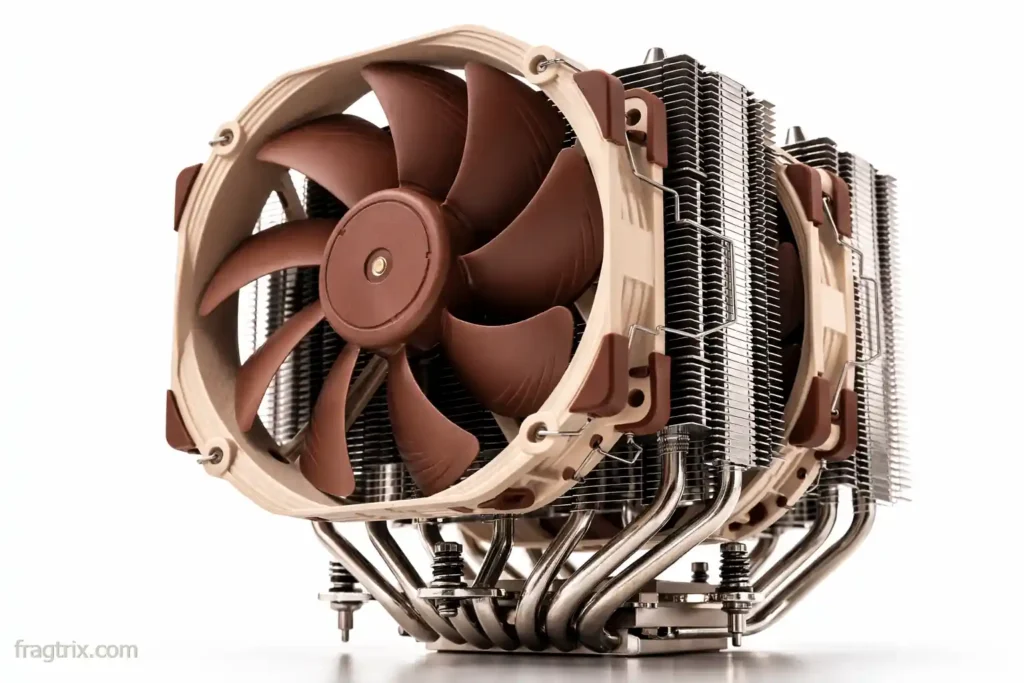
Everyone recommends this cooler. And to be fair, it really is excellent. But let’s look at the actual numbers:
What Noctua says: 24.6 dBA
Real independent testing (Tom’s Hardware): 44-47 dBA at full blast
Actual gaming usage: 33-35 dBA with properly tuned fan curves
The good stuff: Handles 250W+ CPUs, runs at lower RPMs thanks to that massive heatsink, zero pump noise, 6-year warranty.
The catch: $150 price tag, won’t fit in many cases (168mm tall). The Thermalright Peerless Assassin performs nearly as well for $35.
My honest take? It’s excellent, but you’re paying $115 for the brand name. The Peerless Assassin does 90% of the job for a quarter of the price. Your call on whether that’s worth it.
Why I skip liquid cooling for silence
AIOs aren’t quieter. The pump makes noise 24/7 (around 20-25 dBA constant), you still need radiator fans, and pumps can fail. A good air cooler running at 1000 RPM is quieter than any AIO I’ve tested, with zero maintenance or failure risk.
The case dilemma
be quiet! Dark Base Pro 900 Rev. 2: The trade-offs
This is THE “silent case” everyone talks about. It costs $250-270 and comes packed with sound-dampening foam. It can work great for silent builds, but there are trade-offs you need to understand.
GamersNexus tested it and found:
• Noise in Silent mode: 32.4 dBA (genuinely quiet!)
• CPU temps: 55-56°C delta
• Opening the front door: temps dropped significantly
The challenge? All that foam restricts airflow. In my experience with builds I’ve seen, “silent” cases with very restricted airflow often end up running louder under gaming loads because the fans have to spin faster to compensate. The Dark Base Pro 900 Rev. 2 can be quiet in well-tuned setups, but at the cost of higher temps or more aggressive fan curves.
My recommendation for most people: Get a mesh case like the Fractal Meshify 2 or Lian Li Lancool 216. Better airflow means fans run slower, which means less noise. Plus, you save $100-150. The path to good thermals and low noise is simpler with unrestricted airflow.
What actually matters in a case
Focus on these things:
1. Large fan mounts (140mm over 120mm)
2. Good airflow path (unrestricted front intake)
3. Decent build quality (vibration dampening)
4. Dust filters (clean PC = cool PC = quiet PC)
The Lian Li Lancool 216 ($130) checks all these boxes and runs just as quiet as the Dark Base Pro 900 in real-world gaming.
GPUs: The 0dB revolution
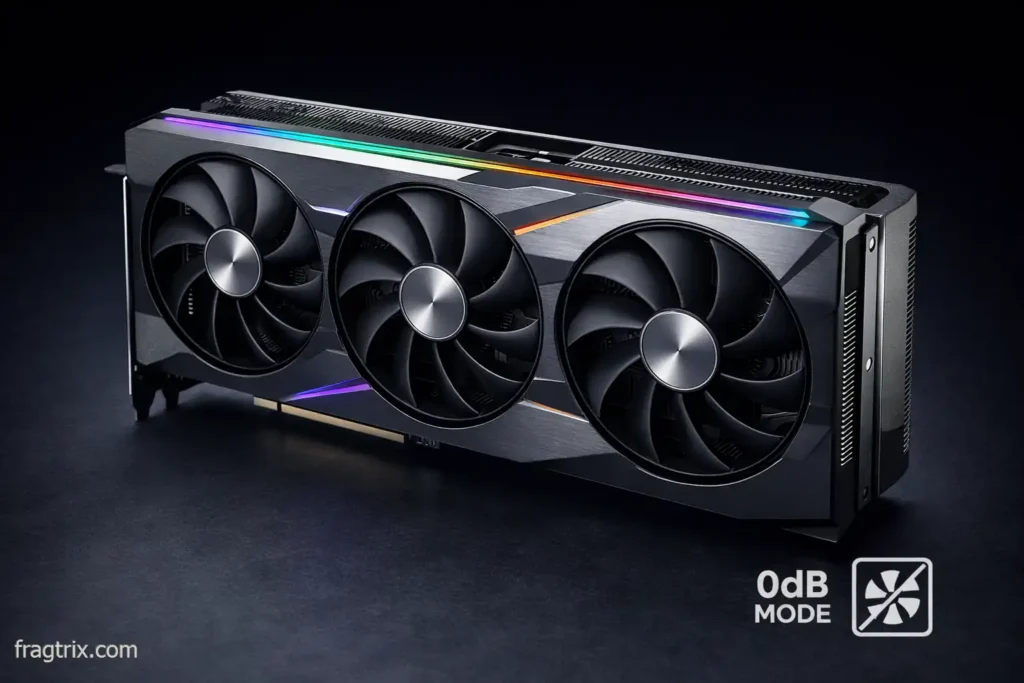
Most mid-range and high-end GPUs from the past few generations have “0dB mode”—fans completely stop when cool. When gaming, expect 30-38 dBA depending on the cooler design.
What makes a GPU quiet
Look for these features, not just brand names:
Must-have features:
• 0dB fan stop at idle or low load
• Large heatsink with dual or triple 90mm+ fans
• Quiet/Silent BIOS profile (some cards have dual BIOS)
• Proven low-noise results in independent reviews
Current examples of quiet designs:
• RX 7700 XT / 7800 XT Sapphire Pulse models: Consistently praised for quiet triple-fan operation
• RTX 4060 Ti / 4070 with 0dB mode: Most AIB models from ASUS, MSI, Gigabyte include fan-stop
• Any mid-range GPU with 2.5+ slot cooler: Larger coolers = slower fans = less noise
HWCooling testing shows that well-designed coolers keep fan speeds around 1400-1600 RPM under load, which is the sweet spot for quiet operation.
The coil whine problem
High-pitched electrical buzzing under load. Sound dampening doesn’t help because it’s not fan noise.
To minimize it:
• Undervolt GPU (5-10% power reduction)
• Enable V-Sync or frame limiters
• Buy from retailers with good return policies
Note: GPU model names change every generation. Focus on the design criteria above when shopping, and check independent reviews for real-world noise testing.
The forgotten noise sources
Storage: SSDs only
If you still have mechanical hard drives, replace them. HDDs produce 20-30 dBA constant noise plus clicking sounds. A 2TB NVMe SSD costs $80-120 and runs at 0 dB (no moving parts).
PSU: Don’t cheap out
A good 80+ Gold PSU with a large fan (120/140mm) runs way quieter than cheap units. Better efficiency = less heat = slower fan. Look for units with zero RPM mode at low loads.
My pick: Any 650-750W 80+ Gold from Corsair, EVGA, or Seasonic with fan-stop feature.
Building your silent PC: Practical tips
Case placement matters
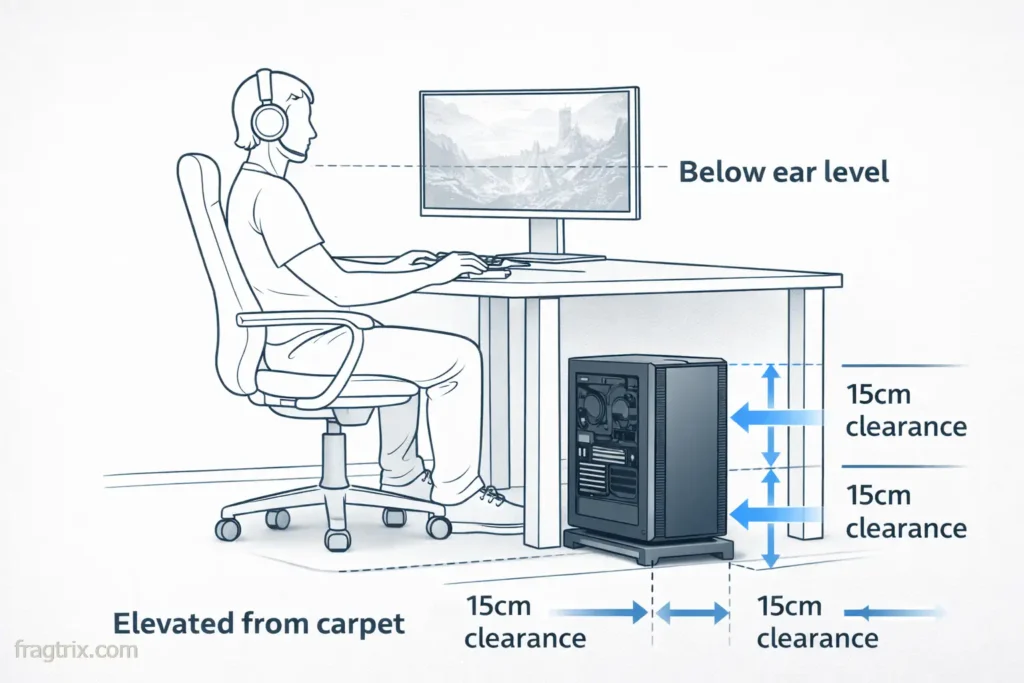
Where you put your PC affects perceived noise:
• Place under desk or on floor, not at ear level
• Avoid hot, enclosed corners (traps heat, forces fan ramp-up)
• Keep 15cm clearance around intakes/exhausts
• Use a board/stand on carpet to prevent blocking bottom intakes
Fan configuration that works
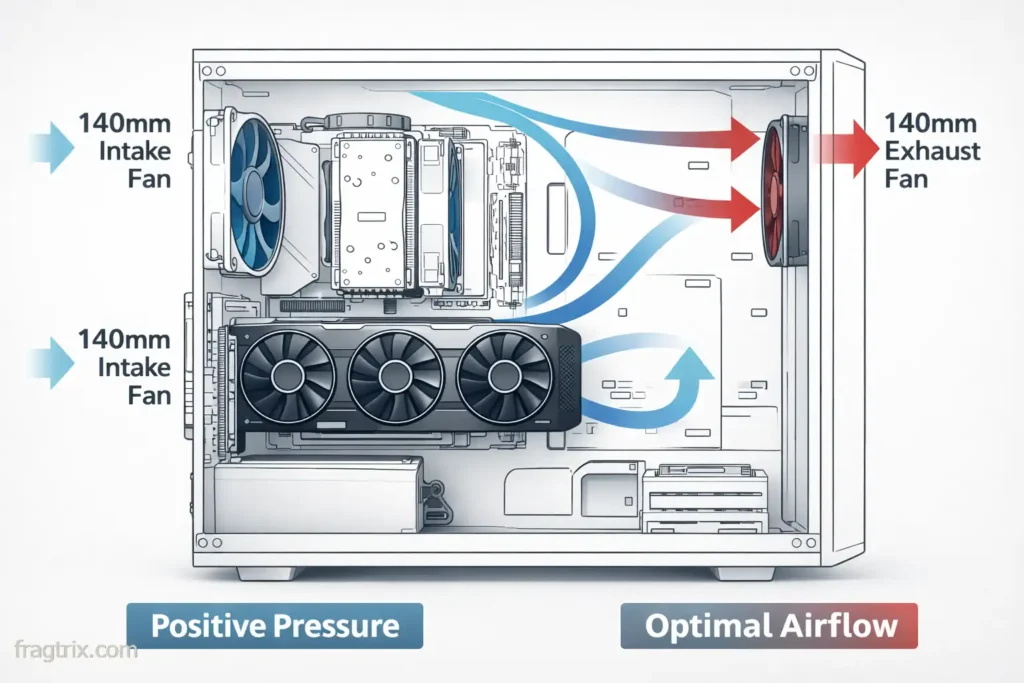
Setup: 2x 140mm intake (front) + 1x 140mm exhaust (rear) at 800-1000 RPM
Result: Positive pressure (less dust) + quiet operation
Skip top exhaust fans unless running high-end hardware.
Custom fan curves are essential
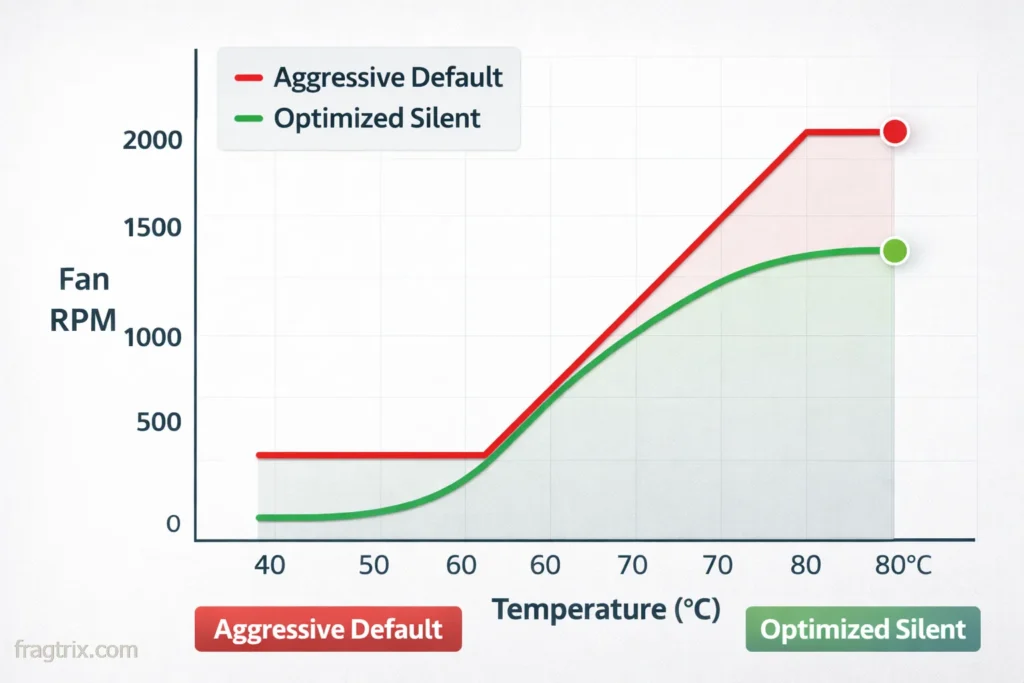
Don’t rely on motherboard defaults—they’re too aggressive. Set fans to start at 60°C, gradual ramp to 75°C, max at 80°C. This prevents constant speed up/slow down cycling.
The undervolting advantage
I undervolted my test system: CPU -0.05V, GPU -100mV. Result: 3% performance loss, 5-7°C cooler temps, fans at lower RPMs, noticeably quieter. Time invested: 30 minutes.
Sample builds by budget
These are target noise levels based on my testing—actual results depend on specific components, tuning, and environment.
Budget ($1000-1200)
• CPU: Ryzen 5 5600 (stock cooler)
• GPU: RTX 4060 with 0dB mode (~$300-350)
• Case: Lian Li Lancool 216 ($130)
• PSU: 600W 80+ Gold ($80)
• Target noise: 30-36 dBA while gaming
Mid-range ($1500-1800)
• CPU: Ryzen 7 5700X
• Cooler: Thermalright Peerless Assassin ($35)
• GPU: RX 7700 XT or RTX 4070 (~$400-500)
• Case: Fractal Meshify 2 ($150)
• PSU: 750W 80+ Gold ($100)
• Target noise: 30-34 dBA while gaming
Premium ($2000-2500)
• CPU: Ryzen 9 9900X
• Cooler: Noctua NH-D15 G2 ($150)
• GPU: RTX 4070 Ti Super or RX 7900 XT with quiet cooler (~$700-800)
• Case: Fractal Torrent ($200)
• PSU: 850W 80+ Platinum ($150)
• Target noise: 28-32 dBA while gaming (smoother, lower-pitch sound)
Note: Premium builds achieve quieter operation through better component selection and tuning, not magic. The sound quality (smooth whoosh vs high-pitched whine) matters as much as raw dB numbers.
What doesn’t work
❌ Sound-dampening foam everywhere: Chokes airflow, makes things louder
❌ Cheap “silent” cases: Usually worse than mesh cases
❌ Small fans running fast: 140mm at 1000 RPM > 120mm at 1500 RPM
❌ Aggressive fan curves: Constant ramping is annoying
❌ Poor cable management: Bad airflow = louder fans
Final thoughts
Building a silent gaming PC isn’t about buying the most expensive “silent” branded components. It’s about understanding airflow, choosing efficient parts, and spending time on fan curves.
The biggest surprise from my testing? A $130 mesh case with good airflow was quieter than a $270 “silent” case with foam everywhere. Marketing lies, physics doesn’t.
If you’re gaming late at night and noise is your priority, focus on:
1. Good airflow case (mesh over foam)
2. Efficient CPU cooler (air is fine)
3. GPU with 0dB mode (most current cards have it)
4. SSDs only (ban mechanical drives)
5. Custom fan curves (spend 20 minutes tuning)
6. Smart case placement (under desk, not at ear level)
Do this right, and you’ll have a PC that stays in the 30-35 dBA range during gaming—genuinely quiet with a smooth, low-frequency sound. Your roommates will thank you, and you can finally game at 2 AM in peace.
Noise measurements are approximate, taken with a smartphone dB meter at 50 cm in a quiet room. Component availability and pricing vary by region. Focus on design principles (0dB mode, large coolers, good airflow) rather than specific model numbers when shopping.