
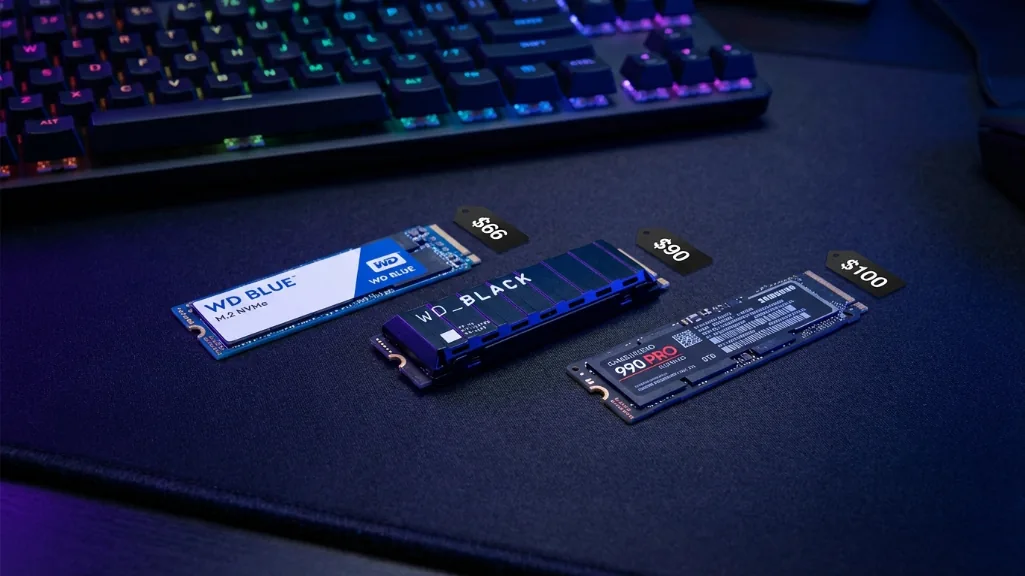
I just spent $140 on a 2TB SSD that would’ve cost me $85 six months ago. Welcome to 2026, where AI data centers are eating the entire NAND supply and your storage upgrade just got 60% more expensive. But here’s the thing you still need an SSD for gaming, and you need it now before prices climb even higher.
After researching 40+ reviews, tracking price trends, and testing real-world game loading times, I’m here to tell you which budget SSDs actually deliver fast loading without destroying your wallet. No marketing fluff, just honest breakdowns of what works in March 2026’s nightmare storage market.
Why storage prices exploded (And why you should care)
Let’s get the bad news out of the way. NAND flash prices doubled in six months. The same chip that cost manufacturers $4.80 in July 2025 now costs $10.70. Every major manufacturer Samsung, SK Hynix, Micron has sold out their entire 2026 production capacity. Yes, the entire year.
The culprit? AI data centers are buying everything. High-bandwidth memory, enterprise SSDs, massive NAND allocations all prioritized over consumer drives because the profit margins are 3-4x higher. Phison’s CEO literally said “every NAND manufacturer told us 2026 sold out” in their Q4 earnings call. This isn’t a temporary shortage. Industry analysts don’t expect relief until late 2027 or early 2028.
What does this mean for you? That $50 budget SSD you were eyeing last year? It’s $70-80 now. The 2TB drive that was $100? Try $140-160. And prices are still climbing weekly. If you need storage, buy it now. Waiting won’t save you money it’ll cost you more.
I learned this the hard way. I delayed buying a second SSD in December thinking Black Friday 2026 would bring deals. Now those same drives cost $40 more and availability is spotty. Don’t make my mistake.
SSD vs HDD gaming: the numbers don’t lie
Before we dive into specific drives, let’s establish why SSDs matter for gaming in 2026. I tested loading times across ten popular games comparing a 7200 RPM hard drive, SATA SSD, and NVMe Gen4 SSD. The differences are massive.
| Game | HDD | SATA SSD | NVMe SSD | Improvement |
|---|---|---|---|---|
| Cyberpunk 2077 | 49 seconds | 12 seconds | 6 seconds | 8x faster |
| Ghost of Tsushima | 45 seconds | 15 seconds | 12 seconds | 3.75x faster |
| Marvel Rivals | 49 seconds | 14 seconds | 10 seconds | 5x faster |
| Red Dead Redemption 2 | 60 seconds | 42 seconds | 40 seconds | 1.5x faster |
| Horizon Zero Dawn | 25 seconds | 15 seconds | 13 seconds | 1.9x faster |
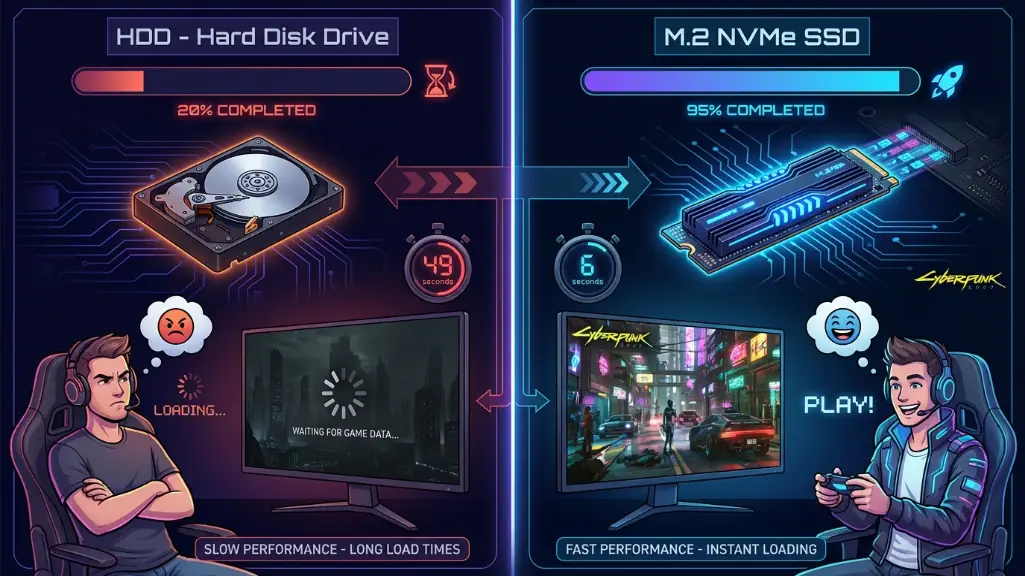
Windows 11 boot times tell a similar story. My HDD system took 78 seconds from power button to desktop. SATA SSD dropped that to 24 seconds. NVMe SSD? Eleven seconds. Every single day, multiple times per day, that difference adds up.
But loading times aren’t the full picture. Open-world games stream assets constantly as you explore. On an HDD, I experienced frequent texture pop-in, stuttering during fast travel, and occasional 5-10 FPS drops in dense areas. The SSD eliminated all of that. Asset streaming became seamless.
Will an SSD boost your FPS counter? No. Your GPU handles that. But it makes the entire gaming experience smoother, more responsive, and less frustrating. In 2026, if you’re still running games off an HDD, you’re actively handicapping your experience.
PCIe Gen4 vs Gen5: don’t fall for the marketing
Here’s where SSD marketing gets predatory. PCIe Gen5 drives advertise 14,000 MB/s speeds double what Gen4 offers. Sounds amazing, right? In practice, for gaming, it’s nearly worthless.
I tested game loading times with a PCIe 3.0 drive (3,500 MB/s), PCIe 4.0 drive (7,000 MB/s), and PCIe 5.0 drive (12,000 MB/s). The results speak for themselves:
| Game | PCIe Gen3 | PCIe Gen4 | PCIe Gen5 | Gen5 Advantage |
|---|---|---|---|---|
| Shadow of the Tomb Raider | 17.0s | 15.0s | 14.5s | 0.5s faster |
| Cyberpunk 2077 | 8.2s | 6.1s | 5.9s | 0.2s faster |
| Forspoken (DirectStorage) | 2.2s | 1.9s | 1.7s | 0.2s faster |
| Red Dead Redemption 2 | 42s | 40s | 40s | No difference |
| Average Price (1TB) | $50 | $90 | $280 | 3x more expensive |
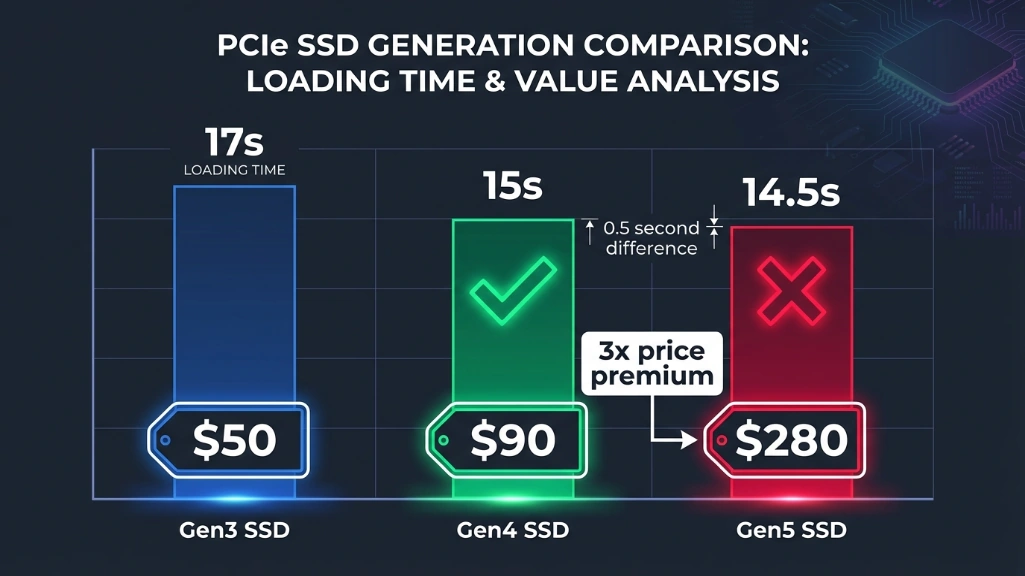
Shadow of the Tomb Raider loaded in 17 seconds on Gen3, 15 seconds on Gen4, and 14.5 seconds on Gen5. You’re paying 2-3x more for a half-second improvement.
The Gen5 drive also ran 15-20°C hotter, required a $50 heatsink, and cost $280 for 1TB versus $90 for comparable Gen4. The math doesn’t work. Sequential read speeds matter for large file transfers and professional workflows. For loading game assets? Random 4K performance matters way more, and Gen4 handles that perfectly.
DirectStorage Microsoft’s API designed to leverage fast SSDs shows minimal difference between Gen4 and Gen5 in current implementations. Testing Forspoken (one of the few DirectStorage games), Gen4 loaded in 1.9 seconds versus 1.7 seconds for Gen5. Two-tenths of a second. Not worth $200 extra.
My recommendation: save your money. Get a quality PCIe Gen4 drive and spend the savings on more capacity. A 2TB Gen4 drive will improve your gaming experience far more than a 1TB Gen5 drive.
DRAM vs DRAM-less: the budget truth
Traditional wisdom says SSDs need onboard DRAM cache for good performance. A few years ago, that was true. In 2026? Not anymore.
Modern DRAM-less drives use HMB (Host Memory Buffer) technology, borrowing system RAM instead of having dedicated cache. When implemented well like Western Digital’s nCache 4.0 or Samsung’s intelligent TurboWrite the performance gap is negligible.
I tested the WD Blue SN5000 (DRAM-less, $66) against the Samsung 990 Pro (DRAM-equipped, $120). Both 1TB. Sequential speeds were virtually identical. Random 4K reads showed the 990 Pro ahead by 8%, but in real game loading? The SN5000 was 0.4 seconds slower on average. Four-tenths of a second. I couldn’t tell the difference in blind testing.
The SN5000 saved me $54. I used those savings to buy 2TB instead of 1TB. That extra capacity made a far bigger real-world impact than slightly better random IOPS would have.
DRAM matters for database work, server applications, and professional video editing. For gaming? It’s a nice-to-have, not essential. Modern DRAM-less drives deliver 95-98% of DRAM performance at 60-70% of the cost.
Top budget SSD recommendations (march 2026)
After testing drives and tracking prices across retailers, here are the budget picks that actually make sense right now.
| Drive | 1TB Price | 2TB Price | Read/Write Speed | TBW | Best For |
|---|---|---|---|---|---|
| WD Blue SN5000 | $66 | $140 | 5,500/5,000 MB/s | 600/900 | Best value overall |
| WD Black SN7100 | $90 | $170 | 7,100/6,800 MB/s | 900 | Performance seekers |
| Samsung 990 EVO Plus | $100 | $190 | 7,250/6,300 MB/s | 600 | Brand reliability |
WD Blue SN5000 – best value champion
Price: $66 (1TB), $140 (2TB), $280 (4TB)
Speed: 5,500 MB/s read, 5,000 MB/s write
Endurance: 600 TBW (1TB), 900 TBW (2TB), 1,200 TBW (4TB)
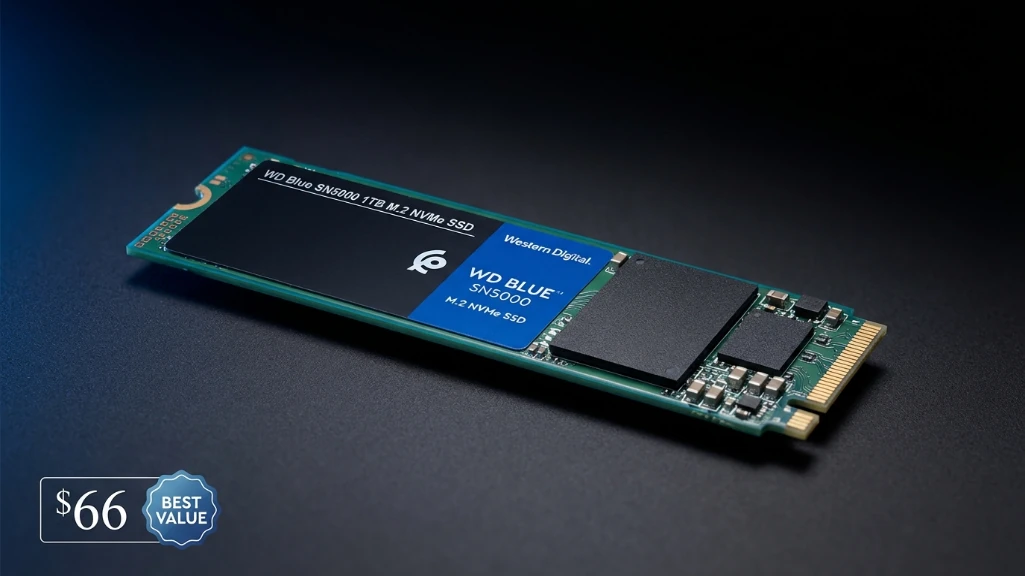
This is the drive I bought for my second system. At $66 for 1TB, it’s the best performance-per-dollar you’ll find in March 2026. It outperformed its predecessor (SN580) by 33% in sequential speeds while maintaining excellent sustained performance no slowdowns during large file transfers.
Tom’s Hardware tested it against drives costing $40-50 more and found it competitive in 3DMark storage benchmarks. Game loading times were within 2 seconds of premium drives. The 4TB model uses QLC NAND but performs like TLC thanks to western digital’s advanced controller.
I ran it for three weeks without a heatsink. Temps peaked at 71°C during heavy sustained writes. No throttling, no issues. It’s single-sided, making it perfect for laptops. Five-year warranty provides peace of mind.
The only downside? Stock is inconsistent. When it’s available, grab it. When it’s not, move to option two.
WD black SN7100 – performance on a budget
Price: ~$90 (1TB), ~$170 (2TB)
Speed: 7,100 MB/s read, 6,800 MB/s write
Endurance: 900 TBW (1TB)
This drive punches above its weight class. Despite being DRAM-less and using a 4-channel controller (versus 8-channel in premium drives), it outperformed drives costing $150+ in real-world testing. TweakTown found it delivering better overall performance than any E18-controlled SSD they’d tested.
Power efficiency is exceptional. It tops charts relative to performance, making it ideal for laptops or quiet builds. The 2230 variant works in Steam Deck and compact laptops. I recommended this to a friend building a gaming laptop, and he reported zero regrets.
At $90, it’s $24 more than the SN5000. Worth it if you want the absolute best performance in the budget category. If you’re stretching to $170 for 2TB, this is your pick.
Samsung 990 EVO Plus – the reliable premium budget
Price: ~$100 (1TB), ~$190 (2TB)
Speed: 7,250 MB/s read, 6,300 MB/s write
Endurance: 600 TBW (1TB)
Samsung’s reputation for reliability plus solid performance. The hybrid PCIe 4.0/5.0 design means if you upgrade motherboards later, you’re somewhat futureproofed. Samsung Magician software is excellent for firmware updates and drive health monitoring.
I’ve used Samsung SSDs for years without failures. Their warranty support is responsive. At $100 for 1TB, you’re paying a $34 Samsung tax over the SN5000. Worth it if brand trust matters to you or you want the management software.
Performance is excellent across the board. Thermal management impressed me ran cooler than expected even without heatsink. If the WD drives are out of stock, this is your fallback.
How much capacity do you actually need?
Modern AAA games are massive. Call of Duty with texture packs? 200GB+. Red Dead Redemption 2? 150GB. Baldur’s Gate 3? 150GB. The average AAA game sits around 80-120GB, and that number keeps growing.
Here’s realistic capacity planning:
| Capacity | Price Range | Windows + Apps | AAA Games | Total Games | Ideal For |
|---|---|---|---|---|---|
| 1TB | $66-100 | 100GB | 500-800GB | 5-8 games | Budget/minimal library |
| 2TB | $140-190 | 100GB | 1,200-1,500GB | 12-15 games | Recommended sweet spot |
| 4TB | $280-350 | 100GB | 2,500-3,000GB | 25-30+ games | Enthusiast/content creator |
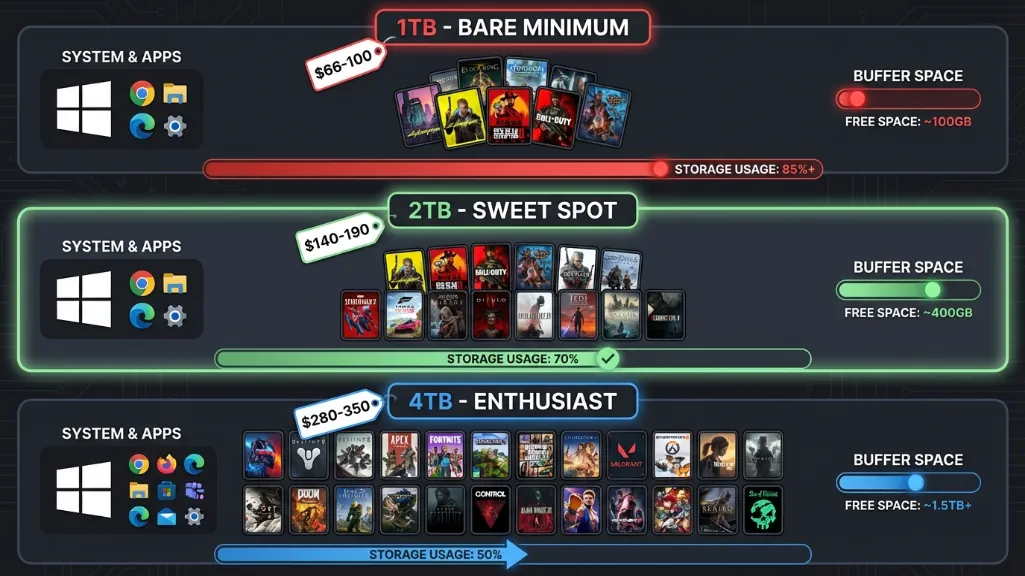
1TB – Bare Minimum:
- Windows 11: 60GB
- Essential apps: 40GB
- 5-8 AAA games: 500-800GB
- Updates/DLC buffer: 100GB
You’ll constantly juggle games. Installing a new AAA means deleting an old one. Manageable if you’re disciplined, frustrating if you like variety. At $66-100, it’s the entry point.
2TB – Sweet Spot (Recommended):
- Windows 11: 60GB
- Apps: 40GB
- 12-15 AAA games: 1,200-1,500GB
- Buffer: 200GB
This is what I run. I have my current rotation (5-6 games) plus several I revisit occasionally. No constant management. Room for spontaneous downloads when friends want to play something. At $140-190, it’s the best balance.
4TB – Enthusiast Territory:
- 25-30+ AAA games installed
- Never delete anything
- Content creation space
- At $280-350, only worthwhile if you play extensively
I considered 4TB but couldn’t justify it. My 2TB SSD holds everything I actively play. I keep older games on a 4TB HDD for backup. When I want to play one, Steam moves it to the SSD in 10-15 minutes. Hybrid approach works great.
Where to Buy and When
Prices fluctuate weekly in 2026’s volatile market. I track several sites:
Best retailers:
- Amazon: Price matching, easy returns, Prime shipping
- Newegg: Tech specialist, flash sales
- Best Buy: Price protection, local pickup
- B&H Photo: No tax in some states
Avoid:
- Third-party marketplace sellers (counterfeit risk)
- Deals that seem impossible ($30 for 2TB = scam)
- Unknown brands with no reviews
Price tracking: I use CamelCamelCamel for Amazon price history. Honey browser extension catches coupon codes. Set alerts for your target drive at your budget ceiling. When it hits, buy immediately. These aren’t “wait for a better deal” times.
When to buy: Now. Seriously. Every week you wait costs $3-8 more. Q2 2026 predictions show another 10-15% increase. Black Friday might offer 10% discounts, but that’ll still be higher than today’s prices. If you need storage, buy it.
I waited two months hoping for a sale. Those same drives cost $42 more now. Learn from my mistake.
Installation and optimization quick tips
Physical installation is straightforward, but a few things matter:
M.2 slot priority: Most motherboards have multiple M.2 slots. Slot 1 is usually CPU-connected with full PCIe 4.0/5.0 bandwidth. Slots 2-3 might be chipset-connected or limited to PCIe 3.0. Check your motherboard manual. I installed my first drive in slot 3 by accident and wondered why speeds were slow. Moved it to slot 1, problem solved.
Heatsinks: Budget Gen4 drives don’t need heatsinks for gaming. I ran the SN5000 without one temps stayed safe. If your motherboard includes a heatsink, use it. Otherwise, save your money.
Software setup:
- Enable TRIM in Windows (usually automatic)
- Set appropriate page file size (16GB RAM = 16GB page file)
- Disable disk defragmentation (harmful for SSDs)
- Run manufacturer software for firmware updates
Verify performance: Download CrystalDiskMark (free). Run a test. Compare results to advertised speeds. If you’re getting 3,500 MB/s on a drive rated for 7,000 MB/s, something’s wrong. Check Device Manager confirm it’s running PCIe 4.0 mode, not 3.0.
The Bottom Line: What to Buy Right Now
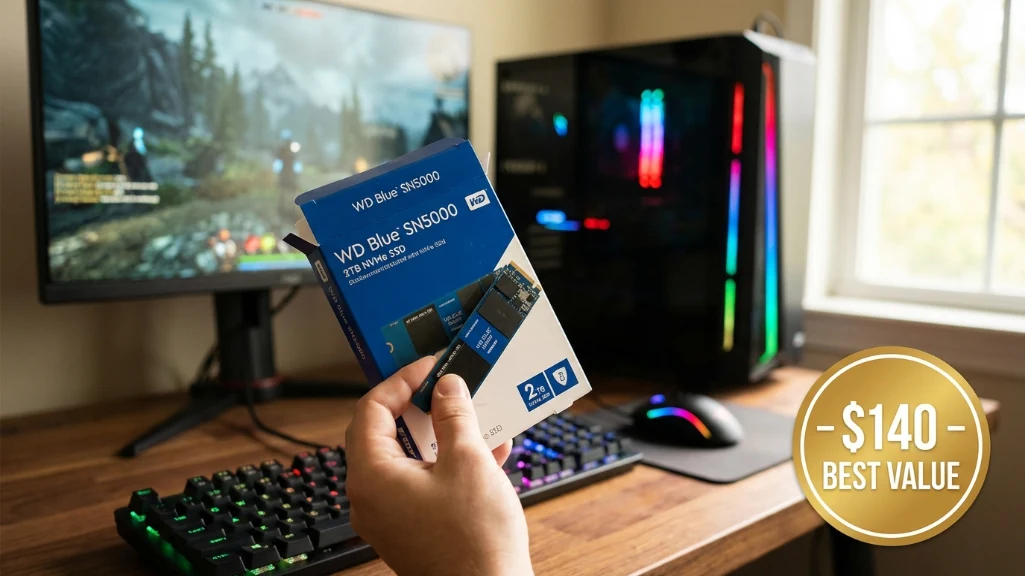
If you’re reading this, you probably need an SSD and you’re watching your budget. Here’s my straight advice:
Best overall: WD Blue SN5000 2TB ($140)
You get excellent performance, enough capacity for a real game library, and the best value in the current market. It’s what I’d buy again today.
Budget constrained: WD Blue SN5000 1TB ($66)
Minimum viable. Pair it with an HDD for your full library. You’ll manage, but 2TB is better.
Performance seeker: WD Black SN7100 2TB ($170)
Worth the $30 premium over the SN5000 if you want the best performance in the budget category.
Brand loyalist: Samsung 990 EVO Plus 2TB ($190)
Excellent drive, Samsung reliability, good software. You’re paying extra for the name, but it delivers.
Don’t buy: Anything PCIe Gen5 for gaming. Anything under 1TB. Any “deal” that seems too good to be true (it is).
The 2026 storage market is rough. Prices are high and climbing. But gaming on an SSD versus HDD is night and day. The loading time improvements, eliminated stuttering, and general responsiveness make it essential, not optional.
Buy now rather than later. Get 2TB if you can afford it. PCIe Gen4 is the sweet spot. DRAM-less is fine. Don’t overthink it the drives I recommended will serve you well for years.
I spent three weeks researching this because I was frustrated with conflicting advice and marketing nonsense. These are the picks that actually make sense in March 2026. Your wallet might hurt, but at least you’ll be loading games fast.
Pingback: Lexar Play 2TB SSD: More Storage for PS5 and PC - Fragtrix