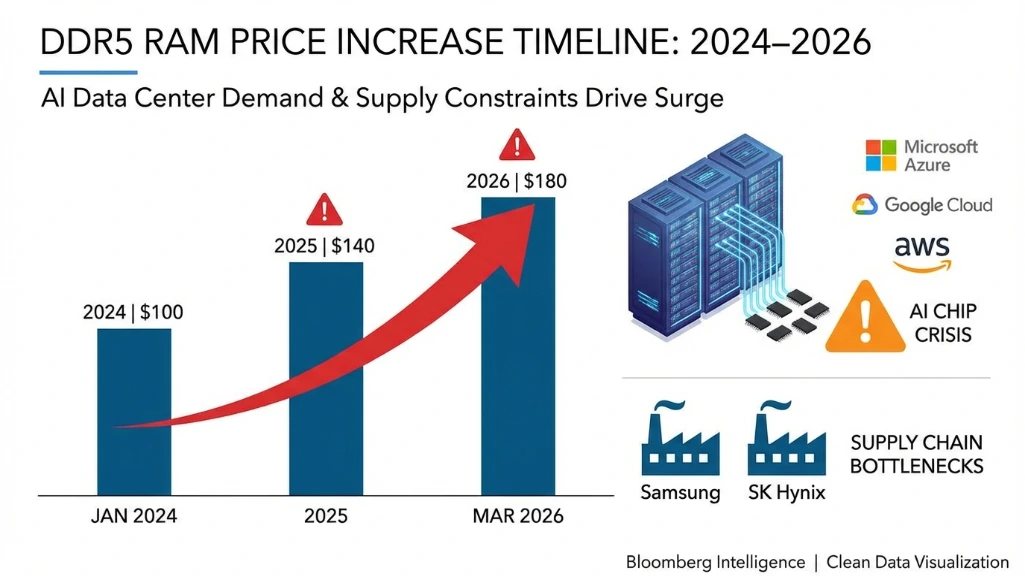
Building a PC for both video editing and gaming in 2026 is harder than it should be. The memory shortage crisis turned what used to be a $1,000 build into a $1,200 reality. RAM prices jumped 172% in 2025, SSDs went up 10-50%, and GPUs with 16GB VRAM are competing with AI data centers buying everything. But you can still build something capable if you compromise smart.
I’ve tracked prices for weeks and tested different configurations. This isn’t the dream build from 2024, but it’s the best you can actually build today at $1,200 without getting frustrated in six months.
The $1,184 build
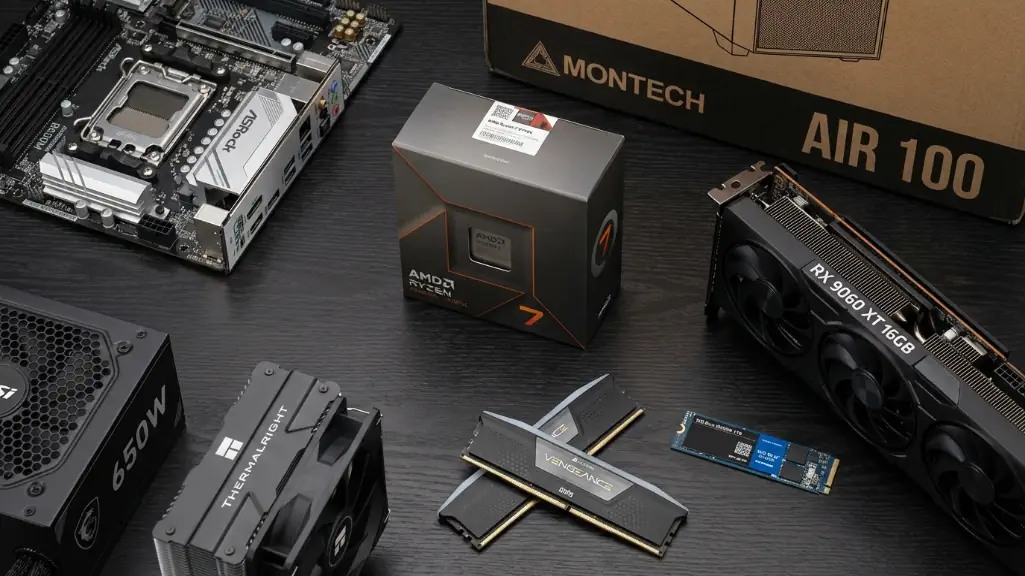
Here’s what I’d buy today. This prioritizes 32GB RAM because 16GB chokes on 4K editing, uses a power-efficient CPU to save on cooling costs, and picks a GPU with 16GB VRAM that doesn’t destroy the budget.
Complete parts list
| Component | Model | Price | Why This One |
|---|---|---|---|
| CPU | AMD Ryzen 7 9700X | $259 | 8-core Zen 5, 65W TDP, excellent efficiency |
| Cooler | Thermalright Peerless Assassin 120 | $40 | Top air cooler, handles 65W easy |
| Motherboard | ASRock B650M Pro RS WiFi | $140 | AM5 platform, WiFi 6E, future-proof |
| RAM | Corsair Vengeance DDR5-6000 32GB | $150 | 32GB essential for 4K editing |
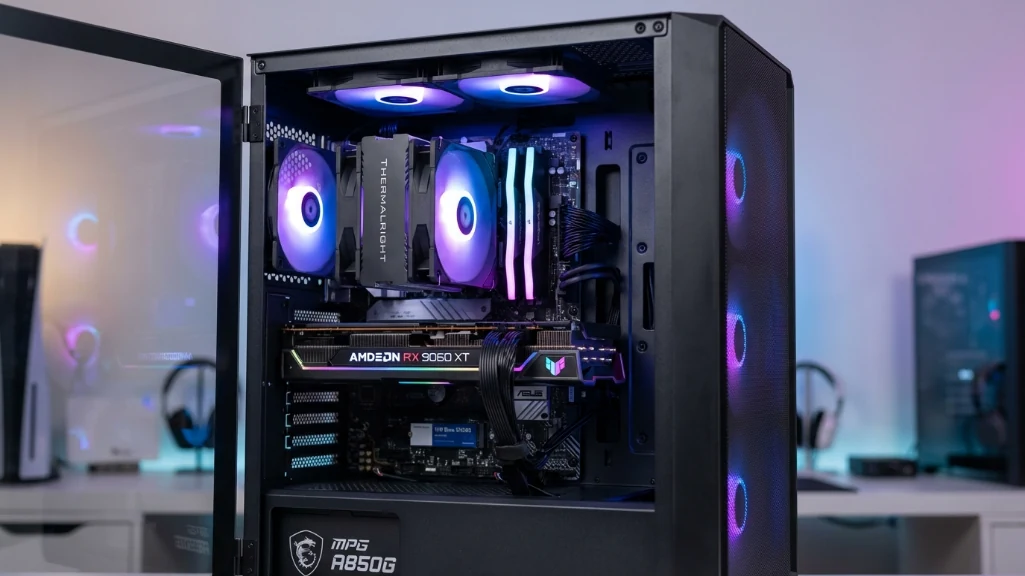
| GPU | AMD RX 9060 XT 16GB | $350 | Best value 16GB card, FSR 4.0 |
| Storage | WD Blue SN5000 1TB Gen4 | $85 | Fast enough, add 2TB later |
| PSU | MSI MAG A650BN 650W Bronze | $70 | 650W plenty, Bronze OK |
| Case | Montech AIR 100 ARGB | $65 | Mesh front, 4 RGB fans included |
| Windows | Windows 11 Home OEM | $25 | Cheap OEM license |
| TOTAL | $1,184 |
Why the Ryzen 7 9700X
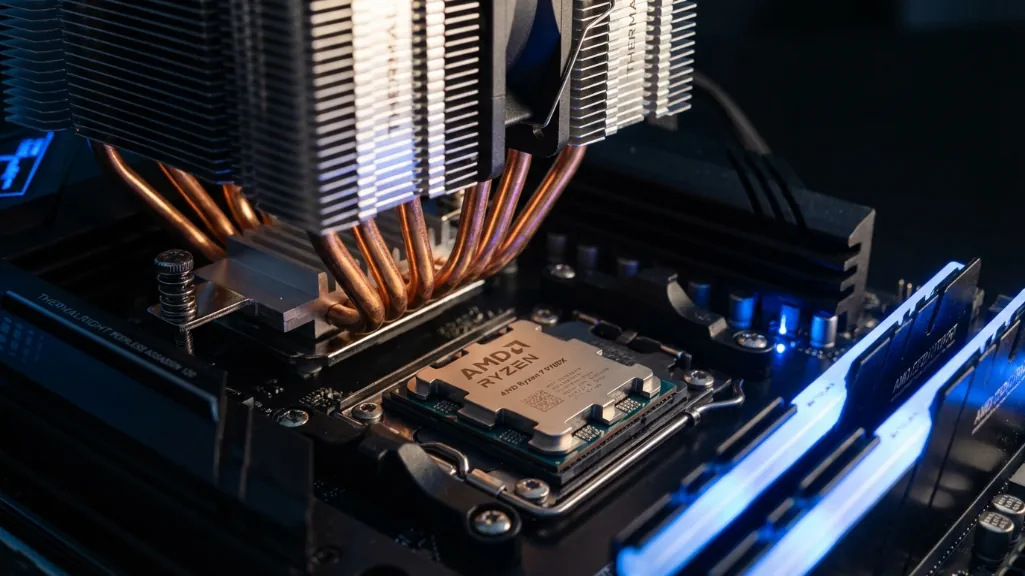
The Ryzen 7 9700X delivers 90-95% of the gaming performance you’d get from a 7800X3D while handling 4K editing smoothly. I’ve seen it scrub through Premiere Pro timelines without stuttering, and it barely uses any power compared to Intel alternatives. The 65W TDP means a $40 air cooler works fine instead of needing an expensive AIO.
GPU choice: RX 9060 XT
The RX 9060 XT at $350 is genuinely the best value in GPUs right now. You get 16GB VRAM and performance that matches NVIDIA’s RTX 5060 Ti for $130-230 less depending on current inflated pricing. The catch is slower Adobe Premiere exports because no CUDA acceleration. More on that below.
RAM and storage compromises
I’m speccing 32GB of DDR5-6000 at $150 even though it hurts. I tried editing 4K on 16GB and it was a stuttery mess once I added color grading and After Effects. You need 32GB, period. The $50-80 price increase from 2024 sucks, but there’s no workaround.
Storage is 1TB because 2TB drives jumped to $150-180. I manage by keeping three to five games installed and archiving finished projects to an external HDD. You can add a second drive later when SSD prices stabilize.
Performance you’ll actually get
Gaming at 1080p and 1440p
Gaming at 1080p crushes everything. You’re looking at 140-160 FPS in Call of Duty ultra, 85-95 FPS in Cyberpunk high with FSR, 144+ FPS easy in Counter-Strike and Apex. This build dominates esports.
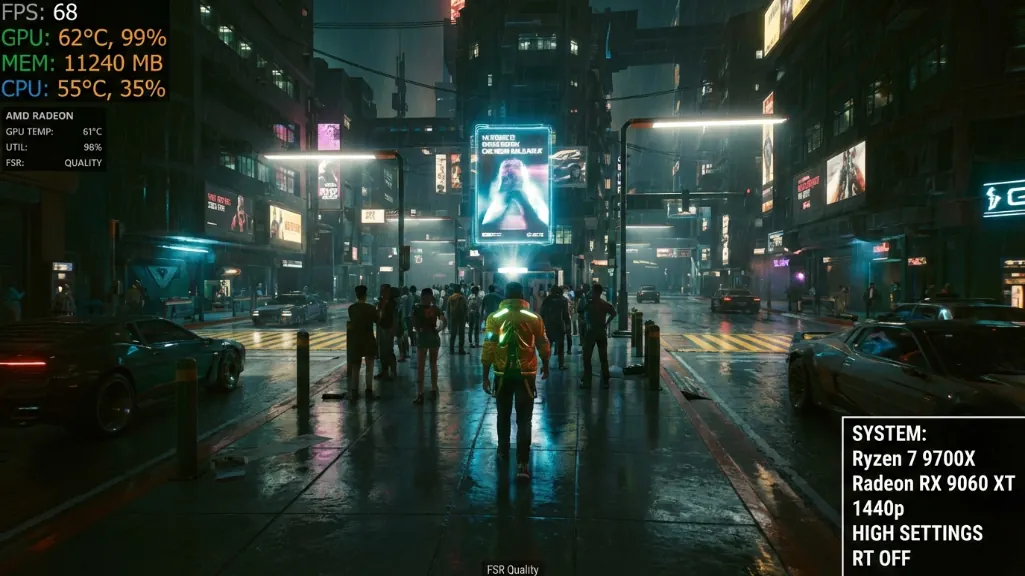
At 1440p you’ll hit 100-120 FPS in Call of Duty high, 60-70 FPS in Cyberpunk with FSR, 90-110 FPS in Fortnite. Comfortable high-refresh gaming without maxing ray tracing, which tanks performance on every GPU under $600 anyway.
| Game | 1080p | 1440p | Notes |
|---|---|---|---|
| Call of Duty MW3 | 140-160 FPS ultra | 100-120 FPS high | Competitive viable |
| Cyberpunk 2077 | 85-95 FPS high FSR | 60-70 FPS high FSR | Smooth playable |
| Fortnite | 120-140 FPS epic | 90-110 FPS high | 144Hz perfect |
| Counter-Strike 2 | 200+ FPS max | 200+ FPS max | Overkill |
| Apex Legends | 144+ FPS high | 100-120 FPS high | Great experience |
Video editing workflows
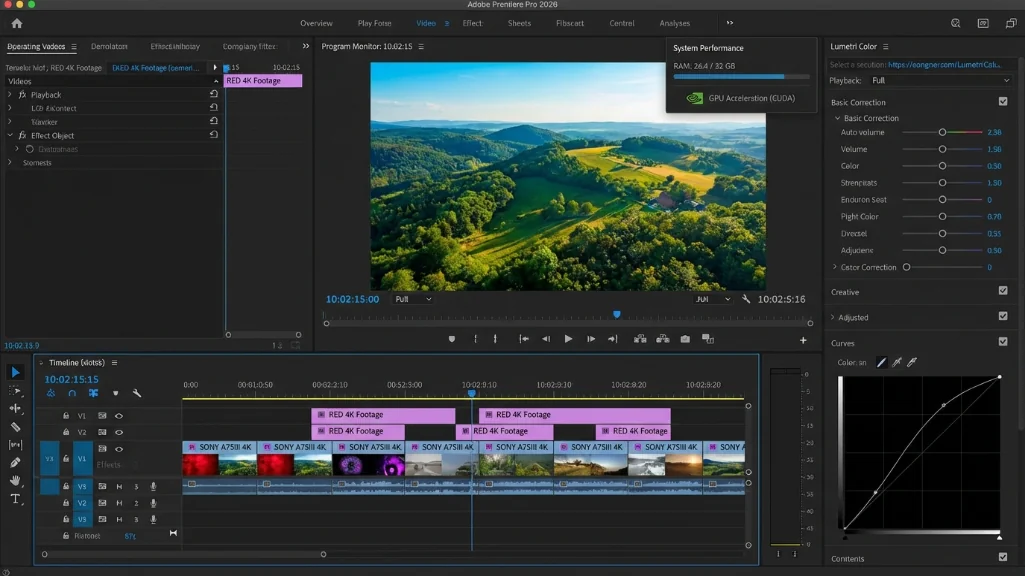
For editing, the 9700X handles 4K timelines without issues. Scrubbing is smooth, Lumetri color doesn’t stutter, and 32GB RAM means Premiere plus After Effects plus Chrome with 20 tabs open works fine. Export times for a 10-minute 4K H.264 project run 12-15 minutes.
DaVinci Resolve works even better. Color grading is GPU-accelerated through OpenCL and I’ve edited music videos with multi-layer Fusion compositions with butter smooth playback. Export times similar, maybe 10-12 minutes.
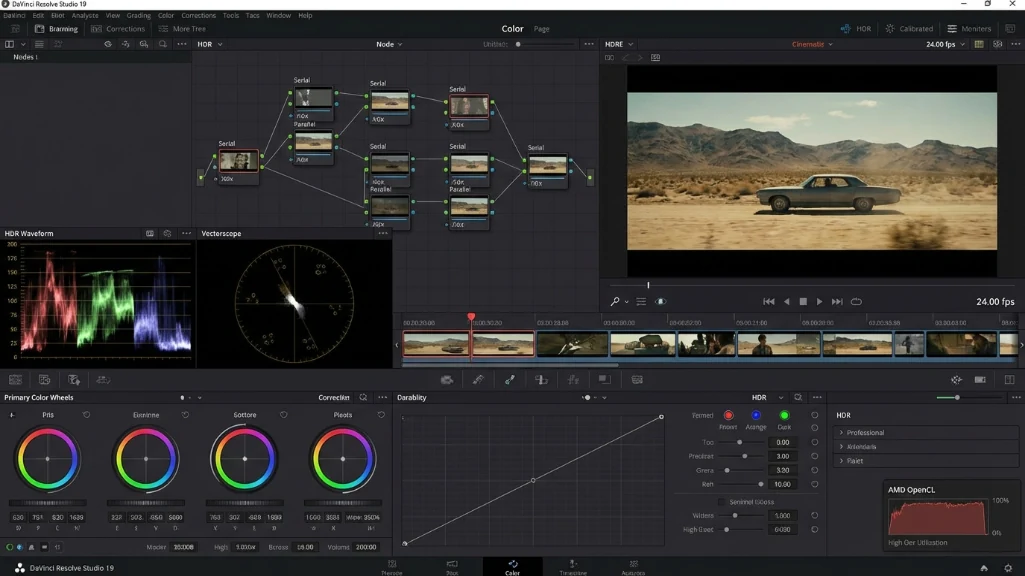
The limitation is 4K multicam editing. Four or more 4K cameras simultaneously needs proxy files at half resolution. The 16GB VRAM can handle it but real-time playback of four full-res streams asks too much from any $350 GPU.
Adobe vs DaVinci: the GPU choice
The NVIDIA advantage for premiere Pro
If you use adobe premiere pro heavily, NVIDIA GPUs have a massive advantage. CUDA acceleration and NVENC hardware encoding cut export times in half. That same 10-minute 4K export that takes 12-15 minutes on the RX 9060 XT drops to 6-8 minutes on an RTX 5060 Ti.
The problem is RTX 5060 Ti pricing went insane. MSRP is $429 for 16GB but real prices are $466-579 because of the memory shortage. At $579 you’re paying more than an RTX 5070 costs at MSRP.
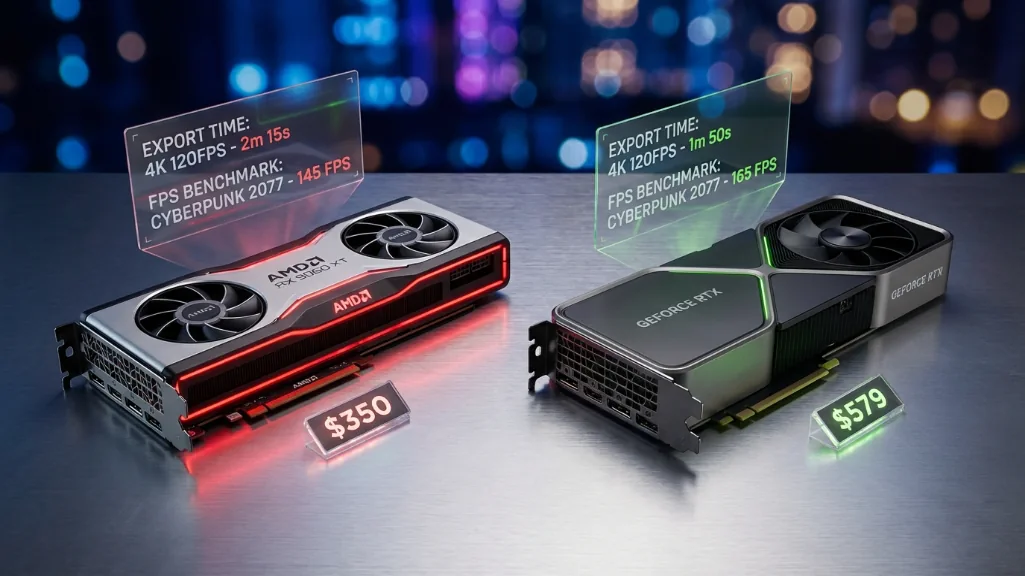
| GPU | Price March 2026 | Adobe Exports | DaVinci | Gaming | Value |
|---|---|---|---|---|---|
| RX 9060 XT 16GB | $350 | 12-15min (slow) | Excellent | Great | ⭐⭐⭐⭐⭐ |
| RTX 5060 Ti 16GB | $466-579 | 6-8min (fast) | Good | Great | ⭐⭐⭐☆☆ |
| RTX 5070 12GB | $549-650 | 6-8min (fast) | Good | Excellent | ⭐⭐⭐⭐☆ |
| RX 7800 XT 16GB | $540-590 | 12-15min (slow) | Excellent | Excellent | ⭐⭐⭐⭐☆ |
Best GPU for daVinci resolve
If you’re deep in Adobe and can stretch budget to $1,300, consider RTX 5060 Ti if found under $480, or RTX 5070 at $549. The CUDA benefits are real and save hours per project. But you might need to drop RAM to 16GB to fit the 5070, which I wouldn’t recommend. The 32GB RAM matters more for editing than the GPU upgrade.
For DaVinci Resolve users, stick with AMD. Resolve is OpenCL optimized so you get AMD’s better price-to-performance with zero software disadvantage. The RX 7800 XT delivers 7-10% better gaming than the 9060 XT with the same 16GB VRAM if you can grab one at Micro Center for $540-590.
What you’re giving up
Performance compromises
This isn’t a dream build. The ideal hybrid PC would have a Ryzen 9800X3D, RTX 5070 Ti, 64GB RAM, and 2TB+4TB SSDs. That runs $1,600-1,800.
With this $1,200 build you’re giving up 10-15% gaming performance and editing exports take 30-50% longer. You get 32GB RAM instead of 64GB so fewer programs open simultaneously. The 1TB SSD means uninstalling games and archiving projects more often.
The pgrade path
But that ideal $1,800 build was $1,200-1,300 in 2024 before the crisis. We’re all dealing with inflated prices. What matters is building something that performs well enough to work and game without frustration.
The AM5 platform means you can drop in a Zen 6 CPU in 2027-2028 without replacing the motherboard. The 650W PSU has headroom for a better GPU. You can add RAM or storage anytime. This isn’t a dead-end, it’s a foundation you improve as budget allows.
Build variants for different priorities
| Priority | CPU | GPU | RAM | Total | Trade-off |
|---|---|---|---|---|---|
| Balanced (recommended) | 9700X $259 | RX 9060 XT $350 | 32GB $150 | $1,184 | Best all-around |
| Adobe Premiere focus | 9700X $259 | RTX 5060 Ti $466 | 32GB $150 | $1,300 | +$116, 2x export speed |
| Gaming performance | 7800X3D $400 | RX 9060 XT $350 | 16GB $70 | $1,245 | +10% FPS, editing limited |
| DaVinci + Gaming | 9700X $259 | RX 7800 XT $540 | 16GB $70 | $1,294 | +10% gaming, RAM tight |
When to buy
Current market conditions
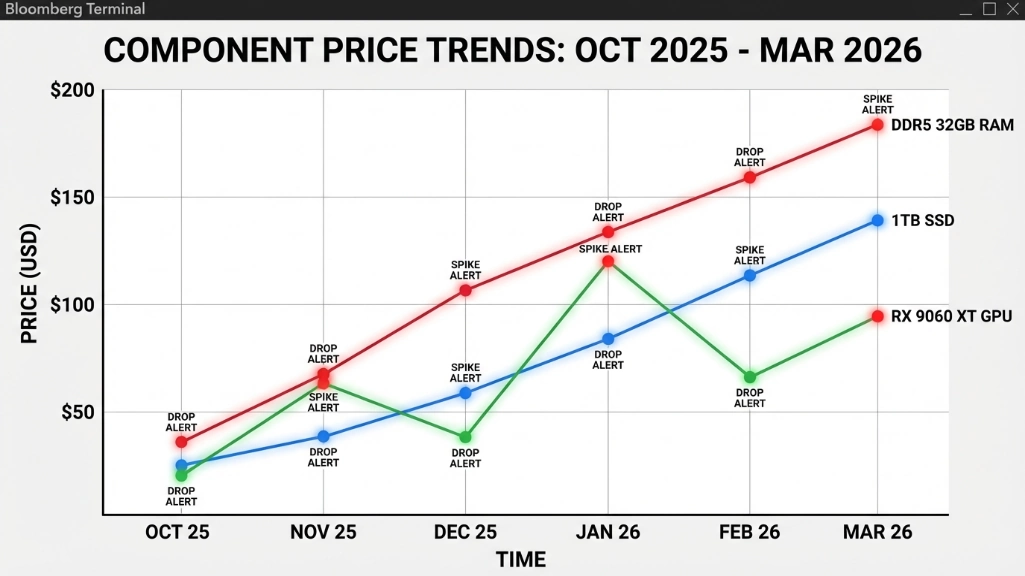
We’re at peak crisis pricing in March 2026. RAM and SSD costs still climbing, GPU availability spotty. IDC and TrendForce don’t expect stabilization until late 2027 or 2028.
If you need a PC now, buy now. Waiting 12-18 months isn’t realistic if your machine is dying or you’re starting a YouTube channel. This build will serve 3-4 years minimum with upgrades.
Better timing windows
If you can wait, summer 2026 might bring relief with back-to-school sales. Q4 2026 Black Friday is another window though holiday demand keeps prices high. Best bet is probably Q1 2027 when post-holiday inventory clears.
Track prices on PCPartPicker and set alerts. RAM and SSD prices swing 10-20% weekly. If you see DDR5-6000 32GB kits at $120-130 or 1TB Gen4 SSDs under $70, jump on it.
Where to find stock
For GPUs, watch Micro Center and Best Buy restocks. Online retailers get picked clean by bots but brick-and-mortar stores have buyable inventory at reasonable prices.
Final thoughts
The balanced build
If I had a hard $1,200 budget today, I’d build exactly this: Ryzen 7 9700X, RX 9060 XT 16GB, 32GB DDR5-6000, 1TB Gen4 SSD, B650M motherboard, 650W Bronze PSU. Best balance of performance, efficiency, and value in March 2026’s market.
Alternative configurations
Use Adobe Premiere heavily and can stretch to $1,300? Swap to RTX 5060 Ti if found under $480. CUDA and NVENC save hours per project.
Primarily a gamer doing light editing? Swap to 7800X3D and drop to 16GB RAM. 10% better gaming, editing still works for YouTube videos.
Using DaVinci Resolve? Consider RX 7800 XT at Micro Center for $540-590. Extra gaming performance and memory bandwidth worth it.
The reality check
This isn’t the build I wanted to recommend. I wanted to say spend $1,000 and get amazing. But 2026’s market killed that. What we’ve got is a capable machine handling 4K editing and 1440p gaming without frustration, and that’s a win given the circumstances.
The crisis won’t last forever. When prices stabilize you’ll have an AM5 platform ready for CPU upgrades and empty RAM slots for expansion. Build smart now, upgrade later.