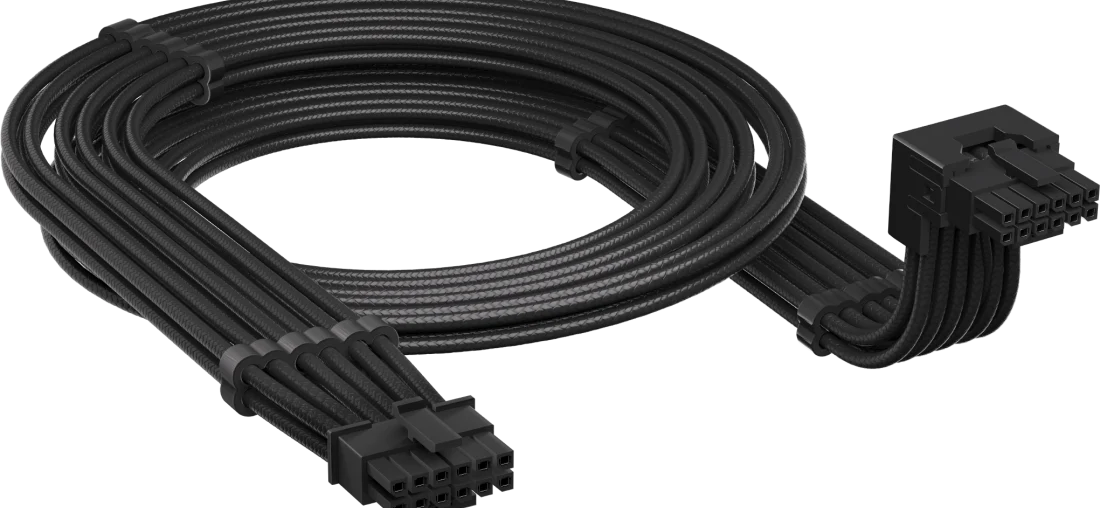
almost every article about atx 3.1 tells you the same thing. the old connector melted, the new one fixed it, buy an atx 3.1 unit with a 12v-2×6 cable and stop worrying.
that advice is built on a misunderstanding, and intel’s own design guide says so in plain language. the cable didn’t change. what changed is the socket soldered onto your graphics card.
once you know that, most of the standard buying advice falls apart.
what atx 3.1 actually changed
intel published the atx 3.0 design guide in february 2022 and revised it in september 2023 to align with atx specification version 3.1. the revision history in the design guide itself is unusually candid about what happened and why.
the connector, in detail
both connectors carry sixteen pins. twelve deliver power, and four sideband signals let the card and the psu negotiate how much power is on offer.
here’s the part that gets misreported. intel’s changelog states that the pcb header’s internal pin lengths were modified, that the connector was renamed 12v-2×6 as a result, and that the cable plug side has not changed and remains compatible with the new header.
so the fix lives on the graphics card. the sense pins in the card’s socket sit further back, which means the card can’t request full power until the power pins have already made contact. your cable plays no part in that mechanism.
intel is equally direct about the reason, describing the change as addressing reliability concerns observed in the 12vhpwr connector, and instructing that new psu designs should mount only 12v-2×6 and treat 12vhpwr as deprecated.
what the sense pins actually do
this is more interesting than the marketing suggests. two required sideband signals, sense0 and sense1, tell the card how much power the supply can offer, and there are two separate numbers involved.
| sense0 / sense1 | permitted at power-up | maximum sustained after software configuration |
|---|---|---|
| ground / ground | 375 w | 600 w |
| open / ground | 225 w | 450 w |
| ground / open | 150 w | 300 w |
| shorted together | 100 w | 150 w |
| open / open | 0 w | 0 w |
a card doesn’t get 600 w handed to it at boot. it gets 375 w, and the rest is unlocked once software has configured the link.
there’s also an optional signal, card_cbl_pres#, which does exactly what you’d want: any incompletely seated 12v-2×6 connector anywhere in the chain de-asserts it, so the psu can see that something isn’t plugged in properly. intel makes this required on the graphics card and optional in the power supply. a detection mechanism for the exact failure mode everyone worried about exists in the standard, and manufacturers don’t have to implement it.
what did change, quietly
the wire got thicker. intel specifies 16 awg for the 12v-2×6 cable, against the 18 awg used for most other connectors, with a per-pin current capacity of 9.2 amps.
hold-up time is more nuanced than usually reported. the design guide lists 12 ms as required at 100% of full load and 17 ms as recommended at 80% of full load. those are two different criteria, not a downgrade from one number to another.
and the transient handling headline needs a qualifier that almost nobody includes.
the 200% figure, and when it applies
| power excursion allowed | psu ≤ 450 w, or no 12v-2×6 | psu > 450 w with 12v-2×6 | duration |
|---|---|---|---|
| shortest burst | 150% | 200% | 100 µs |
| 145% | 180% | 1 ms | |
| 135% | 160% | 10 ms | |
| longest burst | 110% | 120% | 100 ms |
| sustained | 100% | 100% | infinite |
modern graphics cards don’t draw power smoothly. they spike hard and fast, and the atx 3.x standards exist largely to make sure the supply rides those spikes out instead of tripping its protections.
but the widely quoted 200% applies only to units above 450 w that carry a 12v-2×6 connector. a smaller supply is held to 150%. and the harder tests aren’t the 200% one, which lasts a mere 100 microseconds. it’s the 180% for a full millisecond and the 160% for ten milliseconds that separate a genuinely compliant unit from one that merely wears the label.
why these connectors melted
gamersnexus ran the most thorough independent investigation of the original failures, sending damaged connectors to a failure analysis lab for x-ray and electron microscope work. two contributing factors came out of it: partial connection combined with cable tension, and foreign object debris inside the housing.
the physics is simple. power lost as heat follows p equals i squared times r. a partially seated pin has higher resistance, so it runs hotter, and it pushes current onto neighbouring pins that were already near their limit.
what makes it worse is written into the specification. the cem document acknowledges that an individual pin may exceed 9.2 amps depending on contact resistance nonuniformity. the standard concedes, in its own text, that current won’t distribute evenly.
keeping the scale honest
gamersnexus reported in 2022 that sources at add-in board partners estimated the rtx 4090 failure risk at roughly 0.05 to 0.1 percent.
the one case with hard public figures involved a specific third-party angled adapter, where a consumer product safety commission notice recorded 272 failures out of roughly 25,300 affected units. that’s slightly over one percent in a year, but it describes one accessory rather than the connector as a whole, and gamersnexus noted the manufacturer never conclusively identified a root cause for its own product.
this isn’t a coin flip. it’s a low probability event with an unusually expensive outcome, which is the category of risk people reason about worst.
the part the standard couldn’t fix
rtx 5090 connectors kept melting after the move to 12v-2×6, and reports have continued to appear well after the transition. if the header was revised and failures persisted, the header was never the only problem.
tom’s hardware traced this to how the cards themselves are wired. high-end rtx 30 series designs used three shunt resistors, letting the gpu read its six 12v pins as three separate inputs. if a pair went missing or made poor contact, the card could rebalance or shut down.
that arrangement was dropped on rtx 40 and rtx 50 designs, where all six pins feed a single source. the card has no way of knowing that five of its six power pins have lost contact. it keeps pulling what it needs through whatever’s still connected.
worth sitting with: high-end rtx 30 designs had a mitigation for this, and later generations don’t. nvidia has never publicly explained the change.
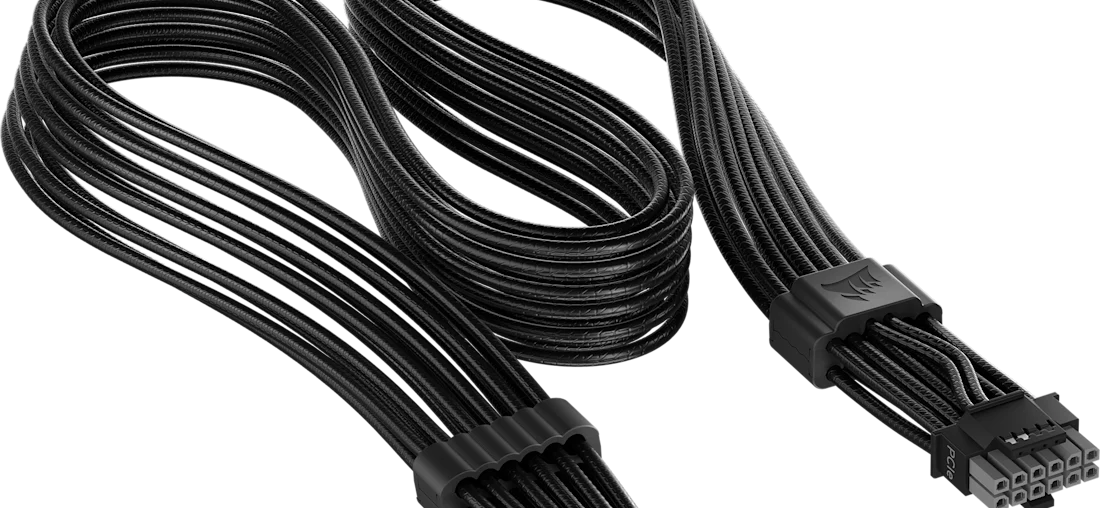
the psu can’t compensate either, because it has no visibility into how the card distributes current at the other end. that’s why the workarounds that exist, from asus per-pin monitoring on rog astral cards to thermal cutoffs built into cables by corsair and asrock, all operate outside the power supply.
| first failure mode | second failure mode | |
|---|---|---|
| cause | pin not fully seated, plus cable tension | card can’t balance current across pins |
| where it lives | the card-side header | the card’s power delivery design |
| addressed by 12v-2×6 | largely | no |
| what a psu can do | assert card_cbl_pres#, if it implements it | nothing |
where the risk actually sits
tom’s hardware puts it plainly: cards below the rtx 4080 and rtx 5080 tier either stay well within the 600 w ceiling or use conventional eight-pin connectors, which makes catastrophic failure far less likely.
an rtx 5090 pulls 575 w through a connector rated for 600 w. an rtx 5070 isn’t in the same conversation. same connector, completely different margin. if you’re weighing the 54-watt gap between those two cards against your existing psu, that’s the far more common upgrade decision than anything happening at the top of the stack.
how many watts you actually need
intel’s design guide includes a sizing table, which is a more useful reference than most calculators.
| graphics card power | cpu | rest of platform | suggested psu |
|---|---|---|---|
| 75 w | 275 w | 100 w | 450 w |
| 150 w | 300 w | 100 w | 550 w |
| 225 w | 300 w | 125 w | 650 w |
| 300 w | 300 w | 150 w | 750 w |
| 450 w | 300 w | 250 w | 1000 w |
| 600 w | 300 w | 300 w | 1200 w |
these figures already account for transient excursions, which is the point people miss. you don’t need to double your wattage to survive spikes, because the specification handled that. if you’re speccing a system from zero rather than checking an existing rig, a complete 1440p build walks through the same sizing logic end to end.
what you shouldn’t do is buy far beyond your load. intel’s own efficiency requirements are highest at 50% load and lower at both 20% and 100%, and the energy star targets follow the same curve. a 1200 w unit running a 500 w system spends its life below its best operating point.
do you need a new psu
if you’re buying an rtx 5080 or 5090
buy a unit built to the current standard, from a manufacturer with independent review coverage. not because it eliminates the risk, but because it removes the variables you control.
what matters isn’t the label on the cable. it’s that the supply meets the harder transient tests, that you use the cable that shipped with it rather than an adapter chain, and that your card’s header is the 12v-2×6 revision. adapters add connection points, and every connection point is somewhere resistance can appear.
tom’s hardware suggests the genuinely cautious limit themselves to a single mating and unmating cycle per cable end, since investigations found current balance shifting after cables were unplugged and replugged. that sounds paranoid until you realise that anxiously inspecting the connector every week is one of the ways debris gets in.
if you’re buying anything else
your existing atx 3.0 unit is fine. so is a quality atx 2.x unit if your card uses eight-pin connectors. an rtx 5070 or rx 9070 xt — the cards most people are actually buying — isn’t operating anywhere near the margin where this becomes dangerous.
worth knowing that the rx 9070 xt also lacks current balancing circuitry, per tom’s hardware. it’s rated at 330 w, which is why nobody talks about it.
reusing cables
one rule, and it isn’t negotiable. never reuse a modular cable from a different power supply, even from the same brand. modular connectors aren’t standardised on the psu side and pinouts differ between models, so the wrong cable in the wrong unit can send twelve volts down a line expecting ground.
if you buy a new psu, use the cables in the box. cheapest mistake to avoid, one of the most expensive to make.
the verdict
atx 3.1 is worth having, just not for the reasons it’s usually sold.
the real improvements are the transient requirements, the thicker 16 awg cable, and a card-side header that’s harder to seat incorrectly. what the standard didn’t do, and couldn’t do, is change how graphics cards distribute current internally. that’s a board design decision, and on the highest-power cards it’s still unresolved a generation later.
for most builds this is settled. size the unit for your actual load using intel’s table, buy from a manufacturer whose units get independently tested, use the cable in the box, and seat it until it clicks.
for a 5090, do all of that, plug it in once, and give the cable some slack before it bends.