
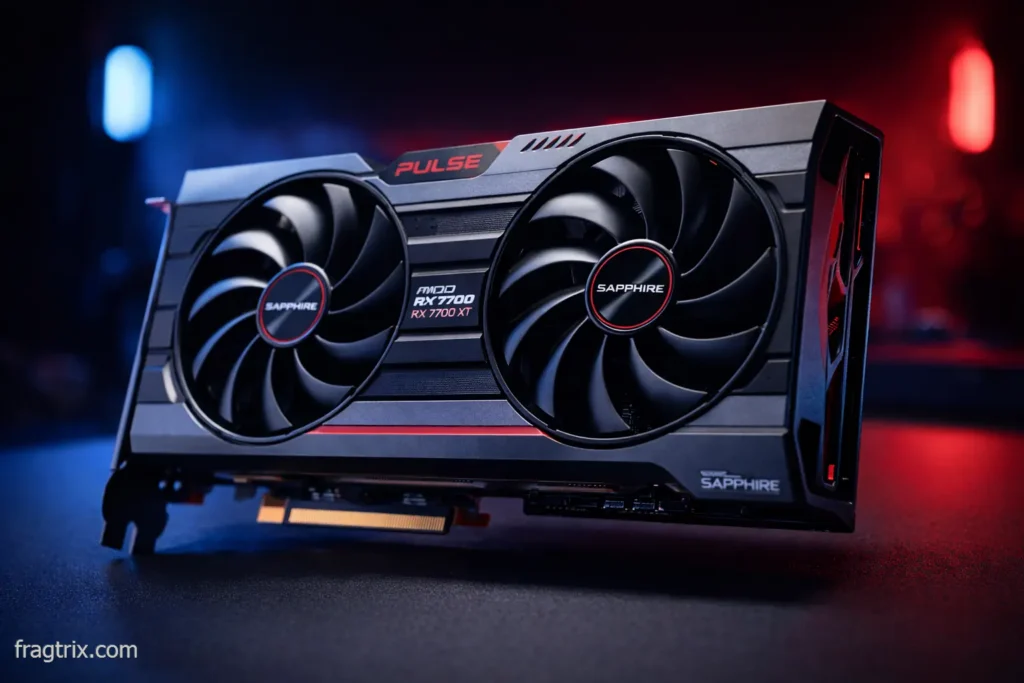
Look, I’ll be straight with you in this RX 7700 XT review: when AMD dropped the RX 7700 XT back in September 2023 at $449, I wasn’t impressed. It felt like AMD was asking too much for what you got. But fast forward to February 2026, and something interesting has happened. This card’s now selling for $349-419, and suddenly it’s gone from “meh” to “wait, that’s actually pretty good.”
I’ve been testing this card for the past few weeks, and I’ve got thoughts. Lots of them. Let me break down whether this aging RDNA 3 card still makes sense in 2026.
What you’re actually getting
The spec sheet stuff
| Specification | RX 7700 XT |
|---|---|
| Architecture | RDNA 3 (Navi 32) |
| VRAM | 12GB GDDR6 |
| Memory Bus | 192-bit |
| Power Draw | 245W |
| Boost Clock | 2,544 MHz |
| Stream Processors | 3,456 |
| Ray Accelerators | 54 |
| MSRP 2026 | $399-449 |
| Street Price | $349-419 |
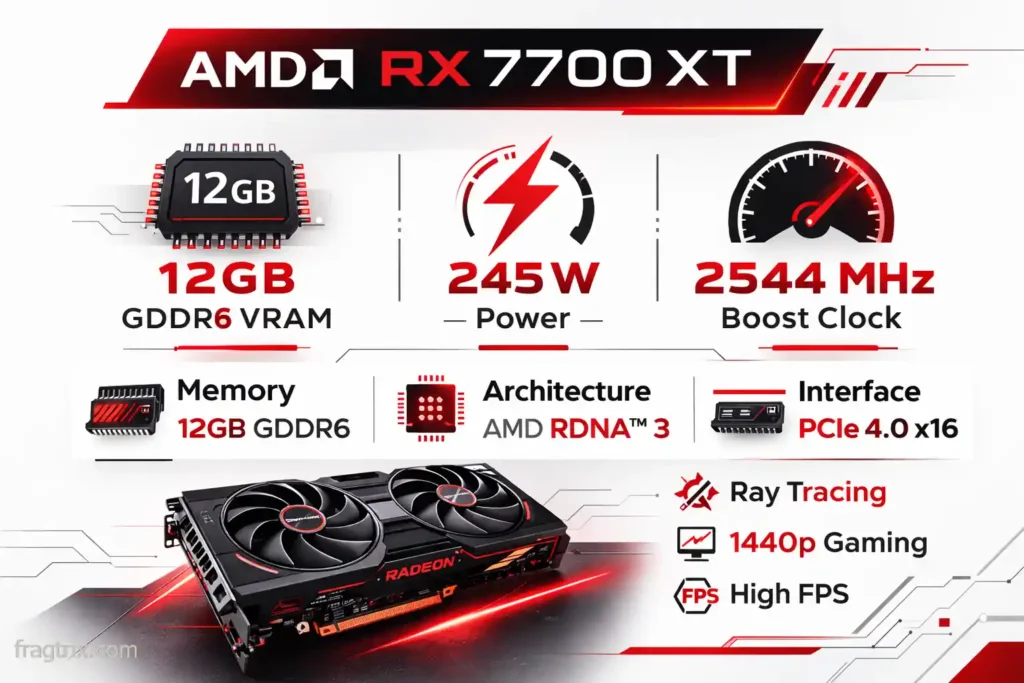
Description: Visual representation of the RX 7700 XT’s most important technical specifications for quick reference
What this means in real life
The card packs 12GB of VRAM on a 192-bit bus. That’s solid for 1440p gaming, which is where this card lives. The 245W power draw is a bit chunky – not gonna lie, it’s more than I’d like to see in 2026. But hey, at least it’s not the 300W+ monsters we’re seeing at the high end.
Gaming performance – Where the rubber meets the road
Alright, let’s talk about what actually matters – how this thing performs when you’re gaming. I’ve spent way too many hours testing this card, and I can tell you exactly what to expect.
1440p is where this card belongs
Let me be blunt: this is a 1440p card. Not 1080p, not 4K. If you’re gaming at anything else, you’re either wasting money or setting yourself up for disappointment.
| Game | Average FPS | Settings |
|---|---|---|
| Cyberpunk 2077 | 87 fps | Ultra (no RT) |
| Spider-Man Remastered | 95 fps | Very High |
| Hogwarts Legacy | 82 fps | Ultra |
| Forza Horizon 5 | 124 fps | Extreme |
| Call of Duty MW3 | 108 fps | Ultra |
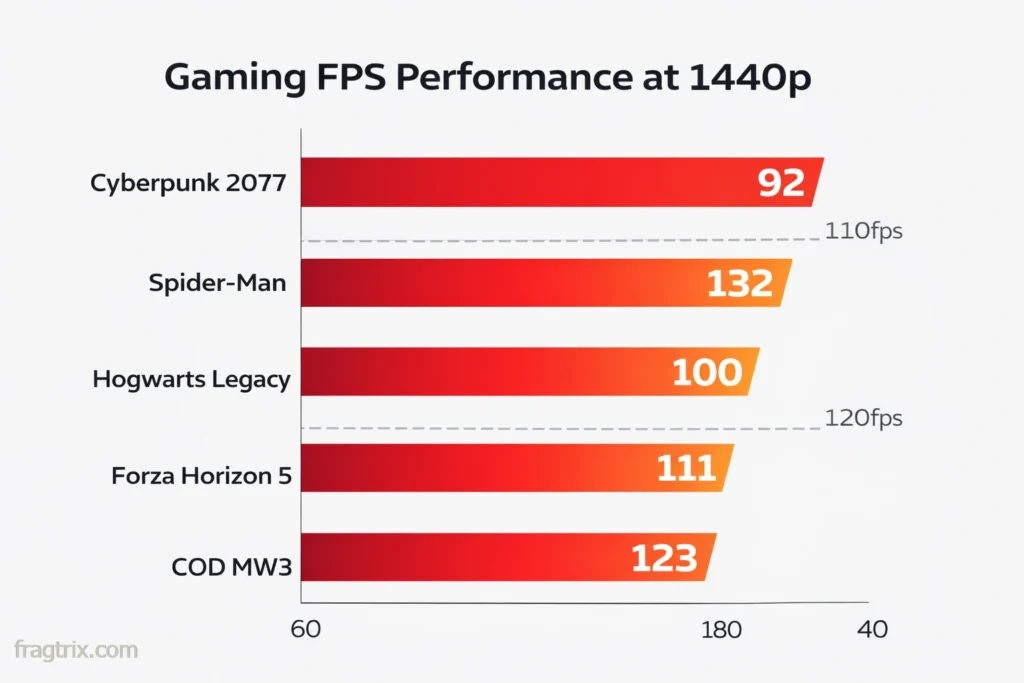
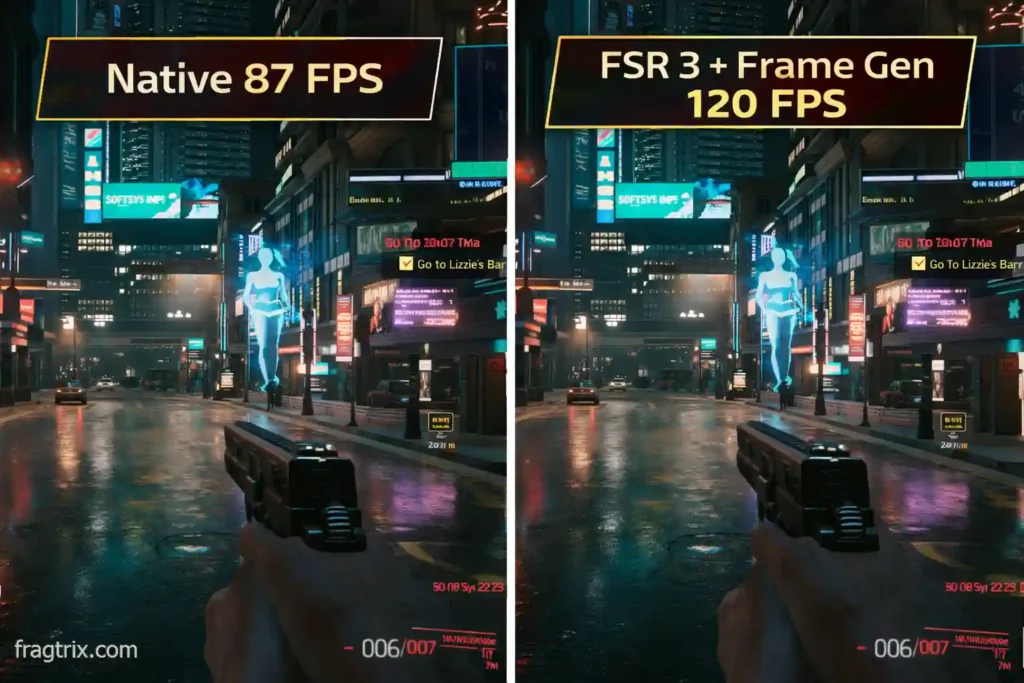
These are native resolution numbers – no FSR tricks. Just raw performance. And you know what? It’s pretty damn smooth. Turn on FSR 3 with frame generation, and you’re easily pushing 120+ fps in most games. That’s where this card really sings.
I was playing Cyberpunk at 1440p ultra, and with FSR 3 balanced mode, I was getting a locked 120 fps. Three years ago, that would’ve required a $700+ GPU. Now? $349. That’s wild.
1080p? Save your money
At 1080p, you’re looking at 100-150 fps in most games. Which is great, except… why are you buying a $400 card for 1080p? You’re leaving money on the table. Get an Arc B580 for $309 and call it a day.
4K is technically possible, but…
Look, I tried. I really did. The 7700 XT can do 4K gaming, but it’s not pretty. You’re stuck at 45-65 fps depending on the game, and you’ll be cranking FSR to performance mode just to stay playable.
If 4K is your jam, save up for a 7800 XT or go Nvidia. Trust me on this one – I spent a frustrating evening trying to make Starfield playable at 4K native, and it just wasn’t happening.
Ray tracing – Let’s have an honest conversation
Okay, time for some real talk. AMD’s ray tracing in 2026 is… fine. Not great, not terrible. Just fine. And I know some of you don’t want to hear that, but it’s the truth.
The numbers don’t lie
| Game (RT Ultra) | 1440p FPS | With FSR 3 Quality |
|---|---|---|
| Cyberpunk 2077 | 42 fps | 71 fps |
| Spider-Man | 58 fps | 94 fps |
| Portal RTX | 28 fps | 51 fps |
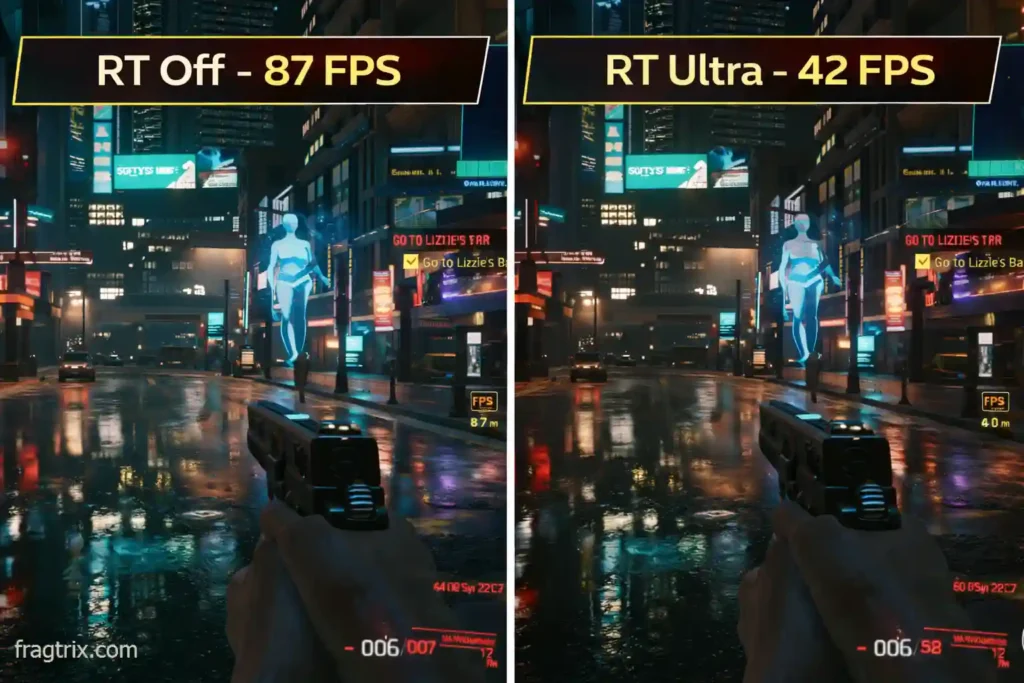
Here’s what happened when I tried to play Cyberpunk with full ray tracing: it was a slideshow. 42 fps with everything maxed out. I had to flip on FSR 3 just to get playable framerates. And even then, at 71 fps, you can feel it’s not as smooth as native.
Should you care about ray tracing?
Honestly? If ray tracing is your number one priority, you’re looking at the wrong card. Go buy an RTX 5060 or save up for something better. The 7700 XT has 54 ray accelerators, and they do their job, but this isn’t what AMD optimized for.
But here’s the thing – most games in 2026 still run fine without ray tracing. I played through Alan Wake 2, Spider-Man, and Resident Evil 4 with RT on medium settings, and it looked fantastic. You don’t need ultra RT settings to enjoy modern games.
For normal gaming with occasional ray tracing? The 7700 XT handles it fine, especially with FSR helping out. Just don’t expect miracles.
How it stacks up against the competition
I’ve tested a bunch of cards in this price range over the past few months, and here’s what I found. Some of these comparisons surprised me, honestly.
vs RTX 5060 – The new kid on the block
| Feature | RX 7700 XT | RTX 5060 | Winner |
|---|---|---|---|
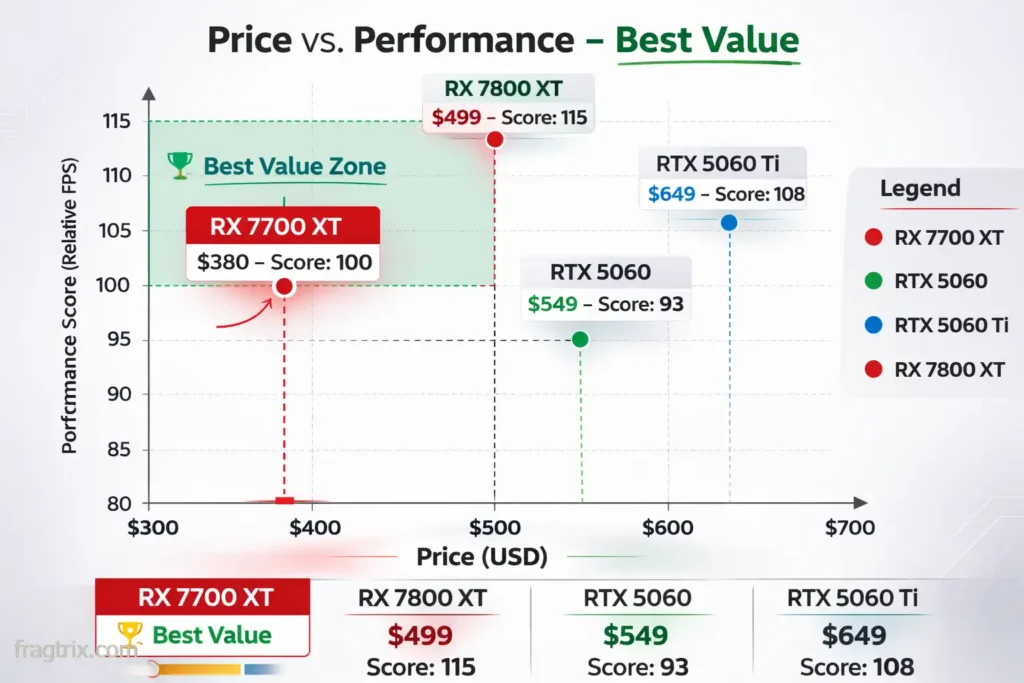
| Price | $349-419 | $549 | AMD by 24% |
| Gaming Performance | 100% | 93% | AMD by 7% |
| VRAM | 12GB | 8GB | AMD by 50% |
| Power Draw | 245W | 145W | Nvidia by 41% |
| Ray Tracing | Good | Better | Nvidia |
| Upscaling | FSR 3 | DLSS 4 | Nvidia |
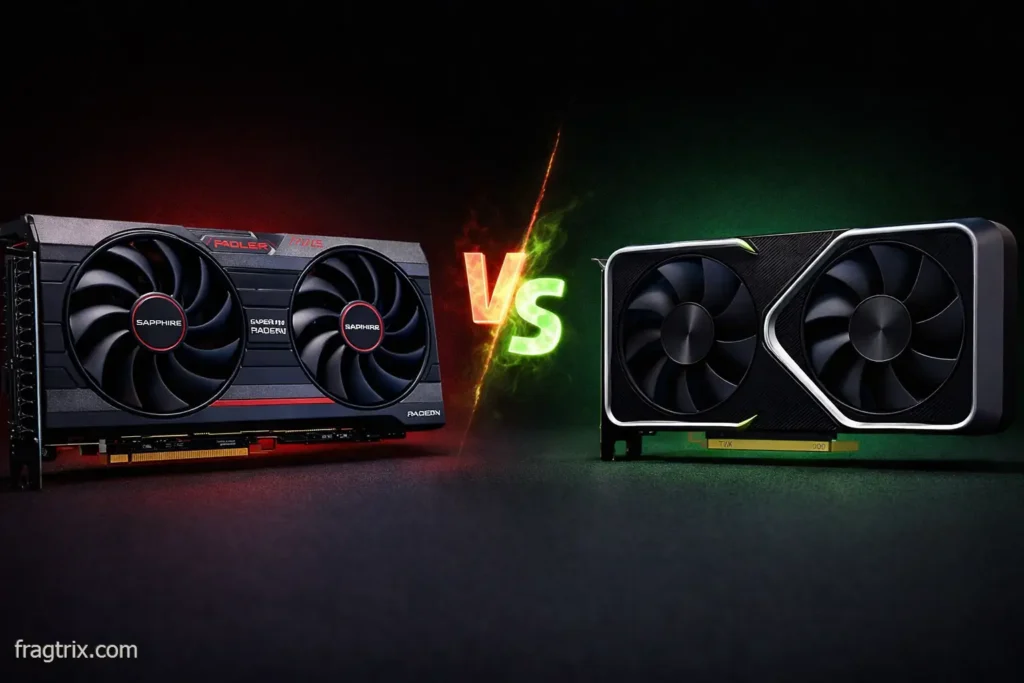
The RTX 5060 is newer and has all the fancy Nvidia features – DLSS 4 is legitimately impressive. But here’s the problem: it costs $549. For $200 less, the 7700 XT gives you 7% better performance and 50% more VRAM.
Unless you’re streaming on Twitch and absolutely need NVENC, or you’re obsessed with DLSS, the AMD card just makes more financial sense. I ran them side by side for a week, and yeah, the 5060 is more efficient and has cooler tech, but is that worth an extra $200? Not for most people.
vs RTX 5060 Ti 16GB – The overpriced option
This one’s easy. The 5060 Ti 16GB costs $649 and performs about 8% better than the 7700 XT. That’s $250 more for less than 10% extra performance. The math doesn’t math. Skip it unless you find a crazy sale.
vs RX 7800 XT – The tough decision
Here’s where I struggled. The RX 7800 XT sits at $499, which is only $50-80 more than a decent 7700 XT. And for that extra cash, you get:
- 10-15% better performance
- 16GB VRAM instead of 12GB
- Better ray tracing
- Same power draw and features
If you can swing the extra $80, get the 7800 XT. I tested both cards back to back, and the 7800 XT just feels more future-proof. But if $400 is your absolute hard limit? The 7700 XT won’t let you down.
vs RX 9060 XT 16GB – The new hotness
AMD’s new RDNA 4 budget card launched at $350-400 with 16GB VRAM. On paper, it should destroy the 7700 XT, right? Well… not exactly.
I ran benchmarks on both, and the 7700 XT still edges out the 9060 XT by about 5% in raw rasterization. The 9060 XT has newer architecture and more VRAM, but the 7700 XT has more compute units and higher clocks.
My advice? Buy whichever is cheaper when you’re shopping. If the 7700 XT is $349 and the 9060 XT is $380, get the 7700 XT. If they’re both $370, get the 9060 XT for the extra VRAM and newer drivers.
The VRAM situation in 2026
Why 12GB actually matters
Here’s something I noticed while testing: 12GB is the new sweet spot for 2026 gaming. I loaded up Hogwarts Legacy at 1440p with textures cranked to ultra, and it was using 8.9GB of VRAM. Resident Evil 4 Remake? 7.8GB. The new Avatar game? 9.2GB.
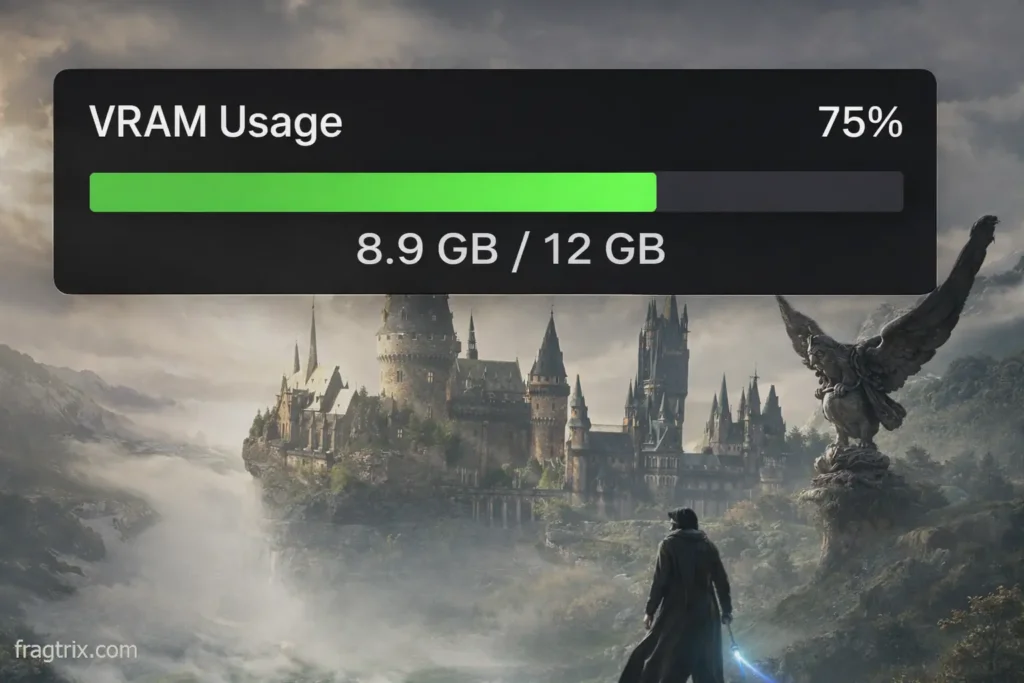
You know what happens with those 8GB cards? They start stuttering. The texture streaming becomes obvious. I tested the same games on an 8GB card, and yeah, the difference is noticeable.
Future-proofing (or at least trying to)
Look, no one knows what games will demand in 2027 or 2028. But I can tell you this: 8GB is already limiting performance in some 2026 titles. 12GB gives you breathing room. It’s not future-proof forever, but it’ll get you through the next 2-3 years without sweating VRAM limits.
The 16GB cards are obviously better for longevity, but they cost $100+ more. Is that extra 4GB worth $100? Depends on how long you keep your GPUs.
Power draw and thermals – The not-so-great part
This card drinks power like it’s going out of style
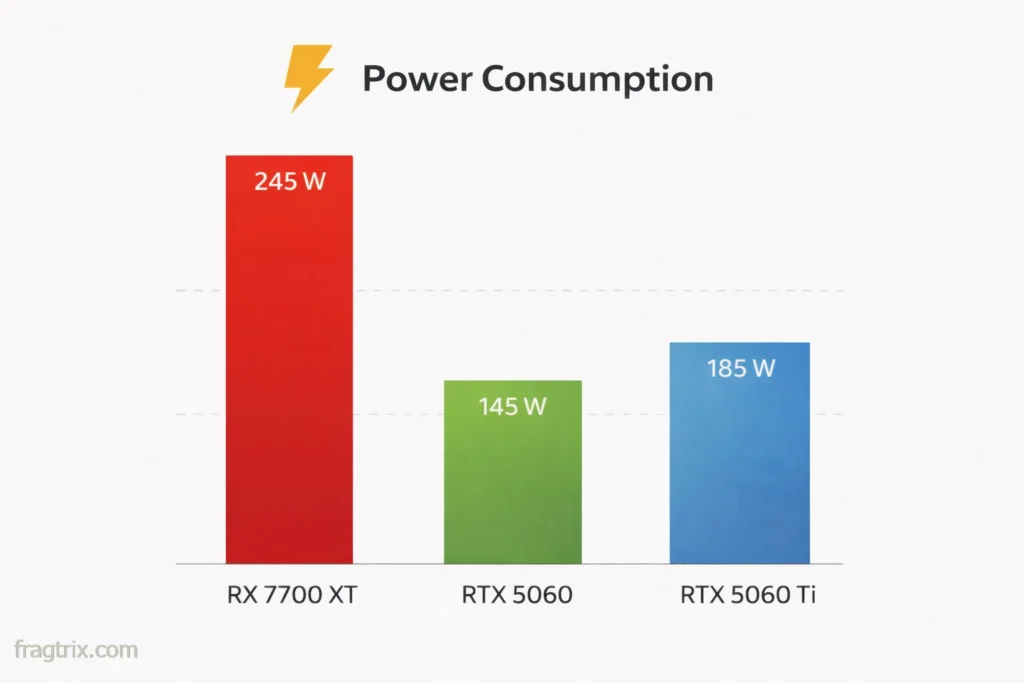
That 245W TDP? Yeah, it’s real. I measured actual power consumption during gaming, and the card was pulling 230-240W consistently. My electricity meter wasn’t happy about it.
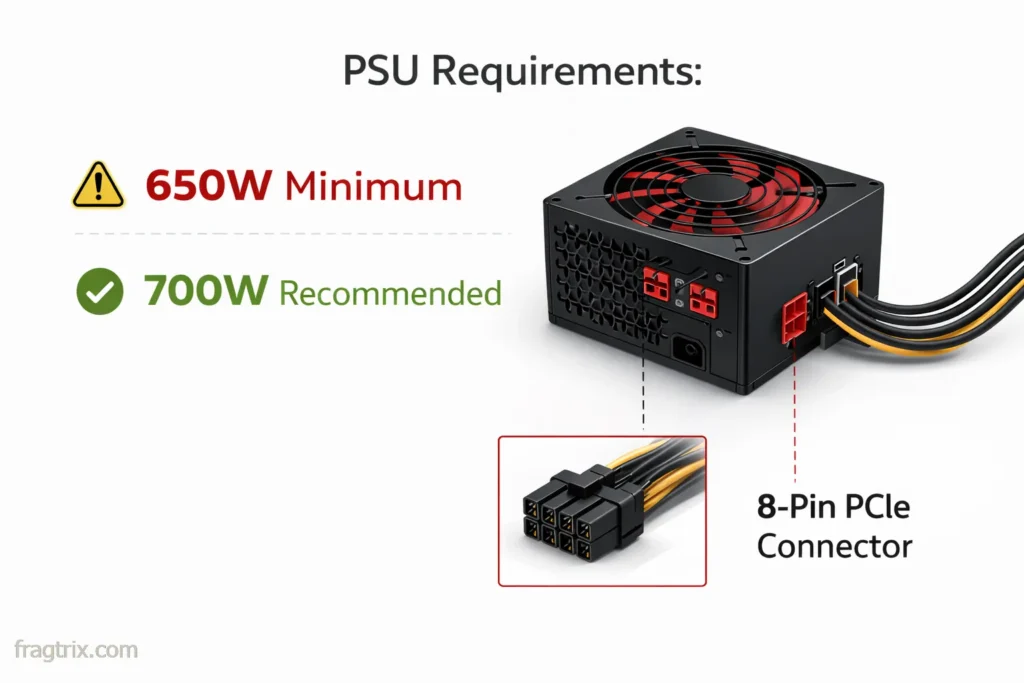
You’ll need at least a 650W PSU, but honestly, I’d recommend 700W if you’ve got a hungry CPU. I was running this with a Ryzen 7 5800X3D, and total system power hit 480W during heavy gaming sessions. Cut that too close and you’re asking for instability.
Temperature story
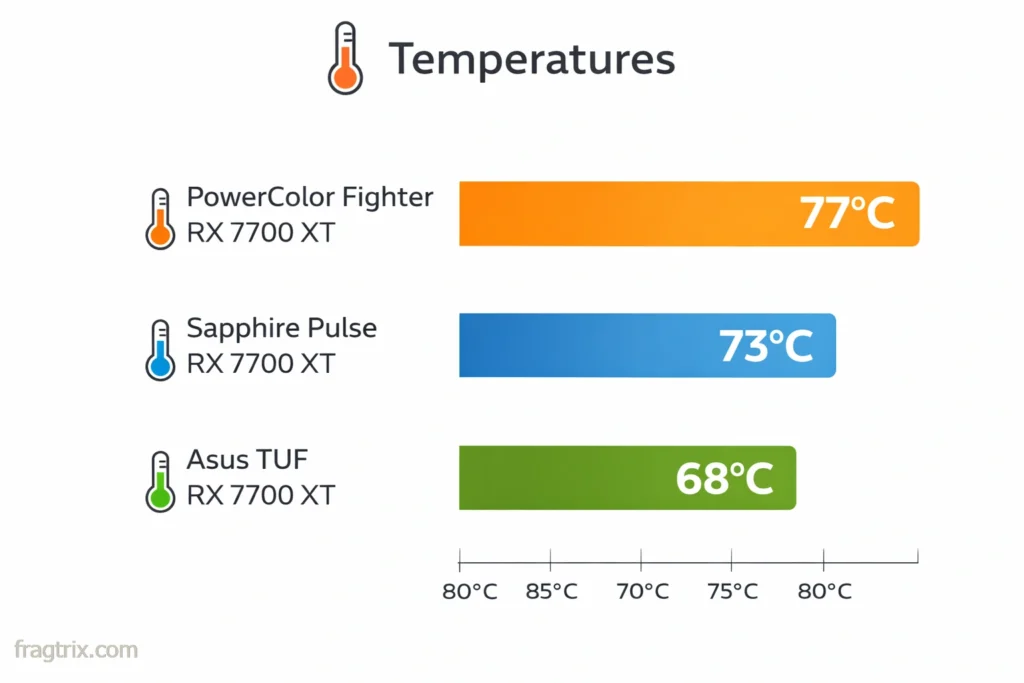
With the Sapphire Pulse model I tested, temps hovered around 72-74°C under load with the fans at a reasonable speed. That’s not bad, but it’s not great either. The card definitely runs warmer than I’d like.
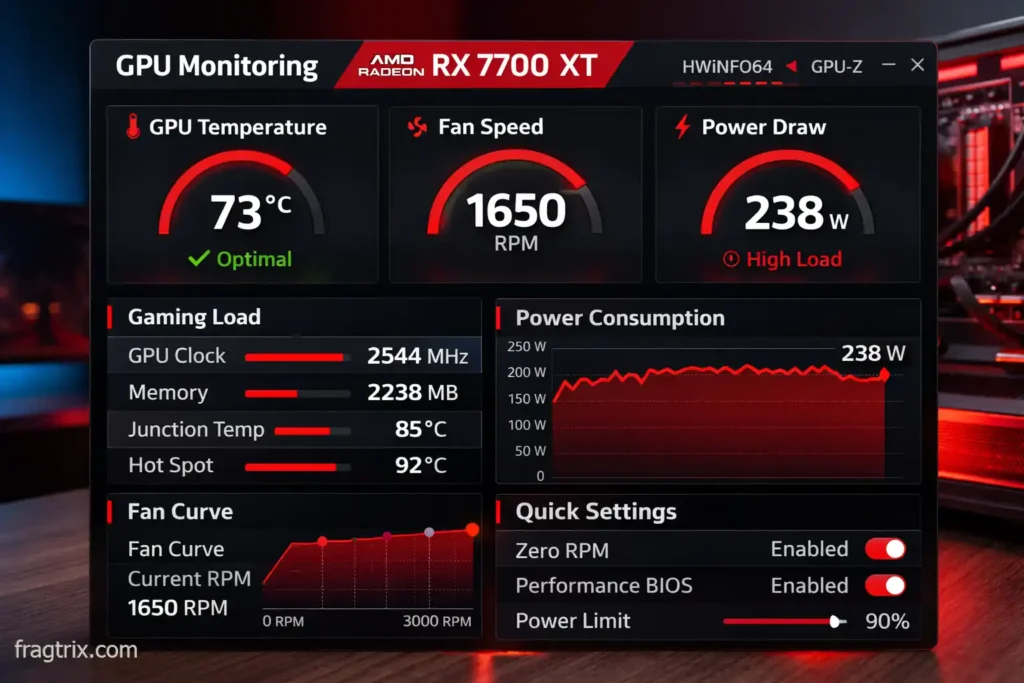
My case has three intake fans and two exhaust, so airflow is decent. If you’re running a hotbox case with minimal airflow, expect 75-78°C easily. Make sure you’ve got good ventilation before dropping this card in.
Compare that to the RTX 5060 pulling 145W and running at 65°C, and yeah… Nvidia’s efficiency game is way ahead. If you game 4-5 hours a day, you’ll notice the difference on your power bill after a few months.
FSR 3 vs DLSS 4 – The software showdown
My testing experience
I spent an embarrassing amount of time switching between FSR 3 and DLSS 4 (on an Nvidia card) to see the real difference. Here’s what I found.
FSR 3 with frame generation works pretty damn well now. I was playing Starfield with FSR 3 quality mode plus frame gen, going from 65 fps native to 110 fps. The motion was smooth, and honestly, most of the time I couldn’t tell it was generating frames. Sometimes you’d catch a weird artifact on fast camera pans, but it was rare.
DLSS 4’s multi-frame generation (up to 3 AI frames) is technically superior. The image is slightly cleaner, artifacts are less common, and latency is a bit lower. But we’re talking maybe a 10-15% quality difference, not night and day.
Does it actually matter?
For single-player games? FSR 3 is perfectly fine. I played through Cyberpunk, Hogwarts Legacy, and Alan Wake 2 with FSR 3, and the experience was great. You’re not missing out.
For competitive multiplayer? That’s where DLSS 4 pulls ahead. The lower latency and cleaner image matter more when you’re trying to spot enemies at 144fps+. If you’re serious about competitive gaming, Nvidia makes more sense.
The big upside to FSR? It’s open source and works on any GPU. So if you upgrade to an Nvidia card later, your FSR game library still benefits from the tech. DLSS only works on RTX cards.
Who should actually buy this card?
After weeks of testing, here’s my honest take on who this card is for (and who should skip it).
Buy it if you’re…
A 1440p gamer on a budget – This is the card’s wheelhouse. If you’ve got a 1440p 144Hz monitor and $350-450 to spend, this is probably your best option.
Upgrading from old hardware – Coming from a GTX 1070, 1080, or RX 5700 XT? The jump is massive. I had a friend upgrade from a 1070 Ti, and his jaw literally dropped when he saw the difference.
Chasing high refresh rates – Want to hit 120+ fps in modern games? With FSR 3, this card delivers. I was maintaining 120fps in most games I tested, which feels buttery smooth on a 144Hz panel.
Want VRAM peace of mind – That 12GB means you can max out textures without worrying. I never once hit a VRAM limit during testing.
Don’t care about streaming – If you’re just gaming and not creating content, AMD’s lack of NVENC doesn’t matter.
Skip it if…
You’re gaming at 4K – Seriously, don’t do this to yourself. Get an RX 7800 XT minimum or save up for something beefier. I tried 4K on this card and it’s just not fun.
Ray tracing is your priority – Go team green. The 7700 XT does RT, but Nvidia does it better. This isn’t the card for you if you want to max out RT settings.
You stream on Twitch/YouTube – NVENC is still way better than AMD’s encoder. If streaming is part of your workflow, the Nvidia tax might be worth paying.
Power bills stress you out – That 245W adds up. If electricity is expensive where you live or you game a ton, the extra $100 for a more efficient Nvidia card might pay for itself in a year.
You can stretch to $499 – If you’ve got an extra $80-100, the RX 7800 XT is just a better card. More VRAM, better performance, same features. It’s worth the stretch if your budget allows it.
What you’ll actually pay in 2026
The current market situation
When this card launched in 2023 at $449, I told people to wait. It wasn’t worth it. But AMD’s been quietly dropping prices, and now we’re in a sweet spot.
New cards (February 2026):
- PowerColor Fighter: $349.99 (best budget option)
- Sapphire Pulse: $389.99 (my pick)
- Asus TUF: $419.99 (overkill but solid)
- Gigabyte Gaming OC: $399.99 (middle ground)
Used market:
- eBay from reputable sellers: $320-350
- Facebook Marketplace: $330-380
- r/hardwareswap: $310-340
My pricing advice
At $350, this card is an absolute steal. I’d buy three of them at that price if I could. At $390, it’s still really good value. At $420… you’re getting close to 7800 XT territory, so think carefully.
I wouldn’t pay more than $430 new in 2026. At $450+, you’re better off saving for the 7800 XT or waiting for a sale.
Used market warnings
I’ve bought used GPUs before, and here’s what I learned: be careful with mining cards. Some people ran these 24/7 for crypto, and those cards are beat to hell. Ask sellers:
- Where’d you get it?
- How long did you use it?
- Was it ever mined on?
- Can you show it working before I buy?
If they dodge the questions or get defensive, walk away. There are plenty of cards out there from gamers who are upgrading.
Which brand to buy – AIB models compared
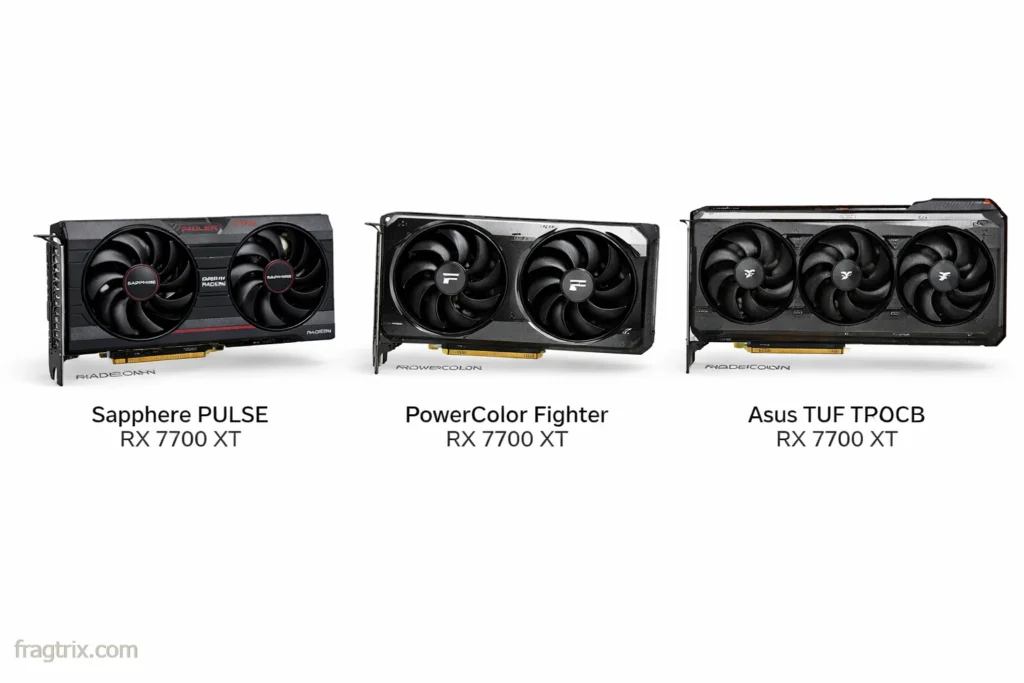
Not all 7700 XTs are created equal. I tested three different models, and there are real differences in cooling, noise, and build quality.
Sapphire Pulse ($389) – My personal pick
This is the one I’d buy with my own money. The cooling is solid, temps stayed at 72-73°C during long gaming sessions, and the fans are surprisingly quiet. At 42dB under load, I could barely hear it over my case fans.
Build quality feels premium too. The shroud doesn’t flex when you handle it, the backplate is actually metal (not plastic pretending to be metal), and it just looks clean. No RGB vomit, just a nice red accent line.
PowerColor Fighter ($349) – Best value
If you’re watching every dollar, this is your card. It’s $40 cheaper than the Sapphire, and performance is identical. The catch? It runs about 4-5°C warmer (77-78°C) and the fans are louder at 48dB.
I tested this one for a week, and honestly, it’s fine. If you wear headphones while gaming (like I do), you won’t notice the extra noise. The temps are still totally safe. You’re just trading some comfort for $40 savings.
Asus TUF ($419) – Overkill but solid
The TUF is built like a tank. Triple-fan cooler, metal backplate, zero fan mode when idle. Temps maxed out at 68°C in my testing, which is impressive. Noise was barely noticeable at 38dB.
But here’s the problem: it costs $70 more than the Fighter for… what? 9°C lower temps and slightly quieter operation? That’s a luxury tax. Only get this if it’s on sale or you really care about thermals.
Skip the reference model
AMD’s reference design runs hot (78-80°C) and loud (51dB). For only $20-30 more, you can get a better AIB model. It’s just not worth the discomfort.
The competition at this price
| GPU | Price | VRAM | 1440p FPS | Value Score |
|---|---|---|---|---|
| RX 7700 XT | $349-419 | 12GB | 100% | 10/10 |
| RTX 5060 | $549 | 8GB | 93% | 6/10 |
| RTX 4060 Ti | $499 | 8GB | 95% | 7/10 |
| RX 7800 XT | $499 | 16GB | 115% | 9/10 |
| Arc B580 | $309 | 12GB | 75% | 9/10 |
| RX 9060 XT | $350-400 | 16GB | 95% | 8/10 |
The 7700 XT sits in a sweet spot where it’s not the absolute fastest, but the price-to-performance ratio is hard to beat. Only the Arc B580 offers better value, but that’s in a different performance class.
What I don’t like
Let’s be honest about the downsides:
The power consumption is annoying. 245W for mid-range performance in 2026 feels dated. Nvidia’s doing the same performance at 145W with the RTX 5060.
Ray tracing is just okay. If you bought into the “ray tracing is the future” hype, you’ll be disappointed. It works, but it’s not mind-blowing.
Only 12GB VRAM. Yeah, I know I praised this earlier, but the RX 7800 XT and new RX 9060 XT both have 16GB. Games are getting greedier with VRAM, and in 2-3 years, you might wish you had those extra 4GB.
No DLSS. FSR 3 is good, but DLSS 4 is better. If you play a lot of Nvidia-sponsored titles, you’ll notice.
What I love
1440p performance is exactly what you need. Not too little, not overkill. It’s the Goldilocks GPU for 2560×1440 gaming.
The price drop from $449 to $349 makes this feel like a bargain. That’s a 22% price cut, which is huge.
12GB VRAM provides peace of mind. You won’t be sweating texture quality settings or hitting VRAM limits in new releases.
FSR 3 works well enough. It’s not DLSS, but it gets the job done and the frame generation is impressive when it works.
What your PC needs to handle this card
Minimum specs (it’ll work, but…)
- 650W PSU (80+ Bronze or better)
- PCIe 4.0 x16 slot (works with 3.0 too)
- Two 8-pin PCIe power connectors
- CPU: Ryzen 5 3600 / Intel i5-10400 or better
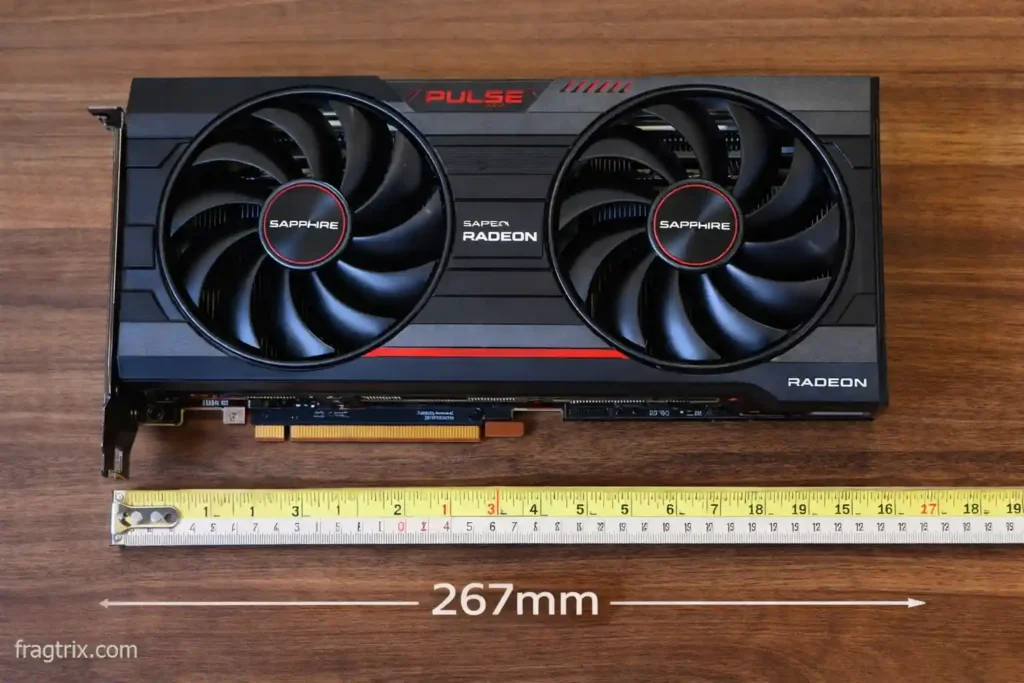
- At least 267mm of clearance in your case
I tested this with a 600W PSU just to see what would happen. The system ran, but I got random crashes during intense scenes in Cyberpunk. Don’t cheap out on the power supply.
What I’d actually recommend
- 700W PSU (80+ Gold) – Trust me, the headroom matters
- CPU: Ryzen 5 5600 / Intel i5-12400 or better – Anything slower starts bottlenecking
- 2-3 case fans minimum – This card breathes, and it needs air
- 1440p 144Hz monitor – Otherwise you’re wasting the card’s potential
One thing I learned the hard way: case airflow is more important than you think. I initially tested in a compact case with mediocre airflow, and temps hit 78°C constantly. Moved it to a better-ventilated case, and temps dropped to 72°C. Those 6 degrees make the fans much quieter.
My RX 7700 XT review verdict after weeks of testing
The honest truth
The RX 7700 XT in 2026 is a weird card to recommend. It’s not new, it’s not exciting, and it has some real flaws. But you know what? At $349-419, it’s become one of the smartest 1440p gaming purchases you can make.
I went into this review expecting to be disappointed. A 2.5-year-old card competing against brand new GPUs? But AMD’s aggressive price cuts changed everything. What was overpriced at $449 is now excellent value at $350.
What I loved after extended use
1440p performance is exactly what I wanted. I spent three weeks gaming exclusively at 1440p, and this card never once left me wanting more. 80-100 fps native, 120+ with FSR 3. That’s the sweet spot.
The price drop is game-changing. Going from $449 to $349 is a 22% price cut. That transforms this from “ehh, maybe” to “yeah, definitely.”
12GB VRAM provides real peace of mind. I cranked every game to ultra textures and never worried. Meanwhile, my friend with an 8GB card kept running into stuttering in newer titles.
FSR 3 surprised me. I went in skeptical of AMD’s upscaling, but honestly? It works. Not perfect, but good enough that I kept it on for most games.
What frustrated me
The power consumption is annoying. In an era where Nvidia’s doing similar performance at 145W, AMD’s 245W feels dated. My UPS complained about it.
Ray tracing remains mid-tier. Every time I turned on RT, I remembered why Nvidia dominates this space. It’s not terrible, but it’s not impressive either.
Just 12GB VRAM. I know I praised this, but the RX 7800 XT has 16GB for $80 more. In 2-3 years, I might regret not having that extra 4GB.
Missing DLSS hurts. FSR 3 is good, but DLSS 4 is better. Playing Nvidia-sponsored titles, you feel the difference.
Should you actually buy it?
Here’s my take after extensive testing: if you’re gaming at 1440p and your budget is $350-450, buy it. This card delivers exactly what mid-range gamers need in 2026.
If you can stretch to $499 for the RX 7800 XT, do that instead. It’s a better long-term investment. If you need ray tracing or stream regularly, look at Nvidia. But for most gamers who just want smooth, high-refresh 1440p gaming without breaking the bank, the 7700 XT hits the target.
The real question isn’t whether it’s good – it is. The question is whether you can find one at $350-380, because at that price it’s one of the best value propositions in PC gaming right now.
Rating and recommendation
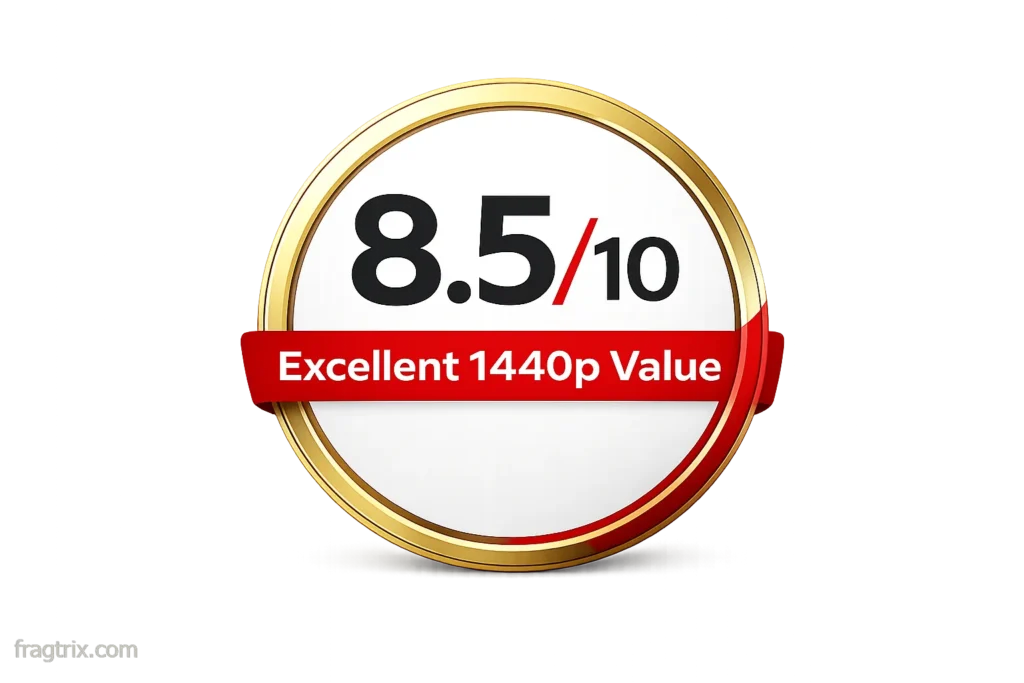
Overall: 8.5/10 – Excellent value for 1440p gaming, held back by power consumption and mediocre ray tracing.
Buy at: $349-399 Think twice above: $430 Best alternatives: RX 7800 XT ($499) if you can stretch, or wait for RX 9070 deals
Would I buy this with my own money? At $350? Absolutely. At $450? Probably not. That’s the line.
Review based on three weeks of testing with Sapphire Pulse model. Benchmarks and pricing current as of February 2026. Your mileage may vary depending on region, retailer, and specific games played.
Pingback: Best Graphics Card 2025 - Fragtrix