Most case reviews rank models. This PC case buying guide does something less exciting and more useful: it covers the checks that decide whether a case works with your parts at all, and what independent testing says about airflow.
A case can look perfect on the product page and still refuse your graphics card, collide with your CPU cooler or leave the GPU power cable bent against the glass. None of that shows in a photo. It shows up in a handful of measurements, and most of them are on spec sheets you can read before paying.
One note on method. Every number below is attributed to the company or outlet that published it. Where the sources don’t give a figure, the guide says so instead of guessing. That’s why you won’t find a “leave 30 mm of margin” rule here: nothing we could verify supports one.
Start With the Motherboard Size
The board sets the size class of the case. According to ASUS’s motherboard size guide (2025), these are the standard sizes:
| Form Factor | Size | Expansion Slots | RAM Slots (Typical) |
|---|---|---|---|
| ATX | 12 × 9.6 in (about 305 × 244 mm) | Several, no exact count given | Usually 4 |
| microATX | 9.6 × 9.6 in (about 244 × 244 mm) | Up to 4 | Usually 4 |
| Mini-ITX | 6.7 × 6.7 in (about 170 × 170 mm) | 1 PCIe slot | 2 |
The millimetre figures are converted from ASUS’s inches.
Smaller boards fit in larger cases, but not the other way around. E-ATX boards are wider than ATX and need a deeper chassis, so ASUS says they won’t fit a microATX case.
Compact doesn’t automatically mean limited. ASUS points to one microATX case that takes graphics cards up to 338 mm and a standard ATX power supply. Mini-ITX is where you have to be careful: ASUS advises pairing it with SFF-Ready cases and cards, which is the guideline covered in the next section. If that’s your route, our Mini-ITX case roundup is the place to start, and the motherboard guide helps with the board itself.
GPU Clearance: Three Numbers, Not One
People check the length of a graphics card first. A card has to fit in three directions, though: length, thickness and height. The height includes the power cable.
Length and Thickness
Nvidia’s SFF-Ready guideline is the clearest published reference point. For RTX 4070 and higher cards from the 40 series, and RTX 5070 and higher cards from the 50 series, it sets these limits:
- Length: 304 mm at most
- Thickness: 50 mm at most, or 2.5 slots
- Height: 151 mm at most, including the power cable bend radius
A case that carries the label has to fit any eligible card with its bundled power connector, with 312 mm of length including the card and any extender, and 154.5 mm between the motherboard (or riser) and the side or top panel.
Two limits on how far to trust that. These are Nvidia’s numbers for Nvidia cards in small cases. And Tom’s Hardware reported in January 2025 that among RTX 5090 models only the Founders Edition meets the guideline, at two slots (40 mm) thick, and that no partner card does. So a large partner card can run well past these figures. For any specific card, the card maker’s spec sheet is the number to use.
Thickness also has a second effect. A card more than two slots thick sits over the neighbouring slot positions, so on a case with few expansion slots at the back, the card has to fit there too.
Height and the Power Cable
On an upright card, the power connector sits at the top edge, and the cable has to leave it and turn. The room you need between the motherboard and the side panel is therefore the card, plus the connector, plus the bend. That’s why Nvidia counts the bend radius inside its 151 mm height limit and asks for 154.5 mm of side clearance.
The bend matters beyond fitment. Our ATX 3.1 and 12V-2×6 guide covers the melted-connector cases, where the contributing factors were a partly seated plug combined with cable tension, and debris inside the housing. Seasonic notes that the 12V-2×6 sense pins are shorter, so they only register once the connector is fully seated.
You’ll often see a figure of 35 mm: keep that much straight cable before the first bend. Tom’s Hardware attributed it in 2022 to CableMod, a cable vendor, not to Nvidia or the PCI-SIG, and the same report mentioned users who still had problems at about 40 mm. Treat it as a cautious rule of thumb, not a standard. The practical takeaway is to pick a case with real room between the card and the side panel, then seat the plug fully and don’t force the cable.
CPU Cooler and Power Supply: The Limits People Forget
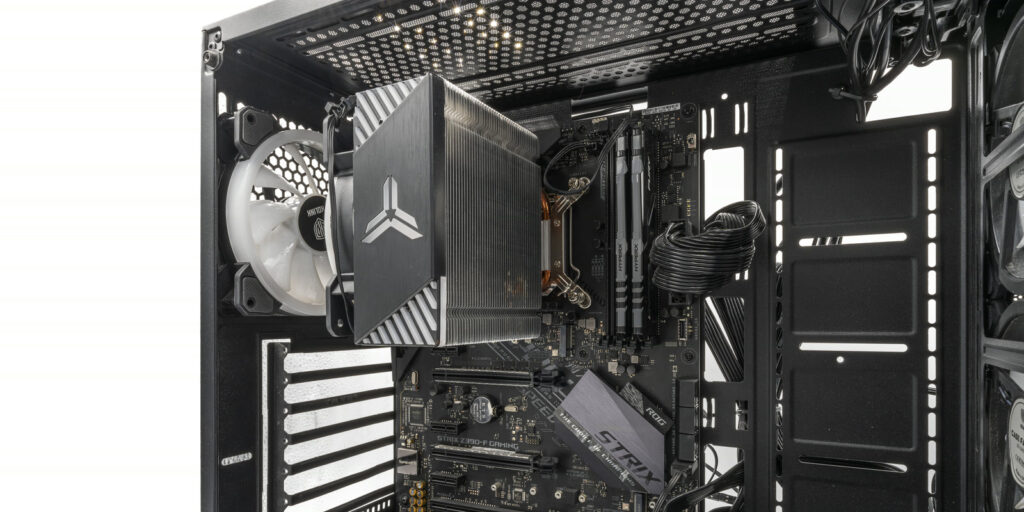
Cooler height is the classic surprise. In a 2026 article, Noctua says case makers’ CPU cooler clearance figures are often right but sometimes aren’t. It found cases with more room than listed (the NZXT H2 Flow) and cases with less (the ASUS Prime AP201). A few millimetres is enough to press the cooler against the side panel or stop it from fitting.
Noctua also gives an example where a front fan can’t be moved higher when a large cooler is installed, which limits RAM to standard-height modules. Its advice is to avoid relying on the listed number alone and to check its case compatibility database, especially in small builds. If you’re still deciding between a tower cooler and liquid, our air cooler vs AIO guide comes first, because the cooler choice shapes the case choice.
The power supply has a length limit as well. In its 2025 case roundup, GamersNexus mentions one compact case that recommends a power supply no deeper than 150 mm. ASUS says the case it cites takes a standard ATX unit. Limits vary from case to case, so check the PSU depth instead of assuming.
Airflow: What the Testing Shows

Mesh Fronts and Solid Fronts
The best-known controlled comparison is a 2018 GamersNexus test of one mesh case against one silence-focused case with a solid front. It used an i7-6700K and a GTX 1080, so treat it as an illustration, not a current benchmark. The result was in the CPU temperatures when the two were matched on noise:
| Noise Level | Mesh Case | Solid-Front Case |
|---|---|---|
| About 32.9 dBA | About 61°C over ambient | About 73°C over ambient |
| About 36 dBA | About 55°C over ambient | About 63°C over ambient |
Two other results from the same test are worth keeping. With a more open front, the solid-front case dropped to about 56°C at its original 36 dBA, roughly level with the mesh case on stock fans. And the mesh case with the other case’s fans reached about 55°C at 32.9 dBA, so fan quality made a big difference.
GamersNexus’s own summary was that mesh cases suit gaming and workstation loads, while silent cases suit idle or low-load systems. Silent cases still help with dust. If quiet matters more than temperatures, our silent build guide covers that side.
Newer testing doesn’t produce a simple rule. In its 2025 roundup, GamersNexus compares cases at an equal 27 dBA, measured at 1 metre in an anechoic chamber, because a case can look cool just by running louder fans. Its observations are specific to each case: a fine, highly perforated mesh front praised for airflow and dust filtering in one, a mesh side panel that helped GPU exhaust escape in another, and glass sold as acoustic that did little for noise in a third. So the front panel type is a clue, not a verdict. An equal-noise test result for the exact case tells you more.
Fans Count as Much as the Case
Both tests point the same way: fans matter. In the 2025 roundup, one case that ships without fans was left out of the out-of-the-box thermal award, and another became the top air-cooled result once two extra 180 mm fans were added. When you compare prices, count the fans a case includes and the ones you’d have to buy.
On noise, GamersNexus notes that people typically notice a difference of about 3 dBA or more.
Positive or Negative Pressure
Corsair recommends positive pressure (more air in than out) for gaming PCs, with less dust entering through gaps. Its post has no date and no measurements, so read it as a manufacturer’s recommendation, not a test result. Fan counts and placement are covered in our fan setup guide.
A Checklist Before You Buy
| Check | What to Compare | Where the Number Comes From |
|---|---|---|
| Board size | Your board’s form factor against the sizes the case supports | Board and case spec sheets |
| GPU length | Card length against the case’s maximum | Card maker’s and case maker’s spec sheets |
| GPU thickness | Card thickness in slots against the slot positions available | Card maker’s and case maker’s spec sheets |
| Side clearance | Card height, connector and cable bend against room to the side panel | Card spec sheet, plus a measurement of the case |
| CPU cooler | Cooler height against the case limit, and RAM height with front fans | Cooler maker’s spec sheet; Noctua’s database for Noctua coolers |
| Power supply | PSU depth against the case limit | PSU and case spec sheets |
| Fans | How many are included, their sizes, and the cost of adding more | Case spec sheet |
| Front panel | Ventilated or solid, and whether temperature or noise comes first | Independent tests at equal noise |
If You Already Own the Case
You don’t need a new case to run this check. Measure the space once and compare it with the numbers above. Our guide to reusing parts from an old PC has a section on exactly that, and the prebuilt upgrade guide covers cases where the layout is proprietary.
The Short Version
Start with the board size, then check the card in three directions: length, thickness and height with the cable. Add the cooler height and the power supply depth. Nvidia’s SFF-Ready numbers (304 mm, 50 mm, 151 mm and 154.5 mm of side clearance) are a good reference for small cases, but they aren’t a promise for every card. Trust a listed clearance as a starting point, because Noctua found real gaps in both directions. For airflow, an equal-noise test of the exact case beats any general rule about mesh and glass, and the fans included in the box matter nearly as much as the panel.